What HTML Minification Removes and What It Still Leaves for You to Own
Use an HTML minifier when the markup is ready for delivery and the goal is to reduce whitespace and comments, not to fix the structure, content, or compatibility problems the file already contains.
Open HTML Minifier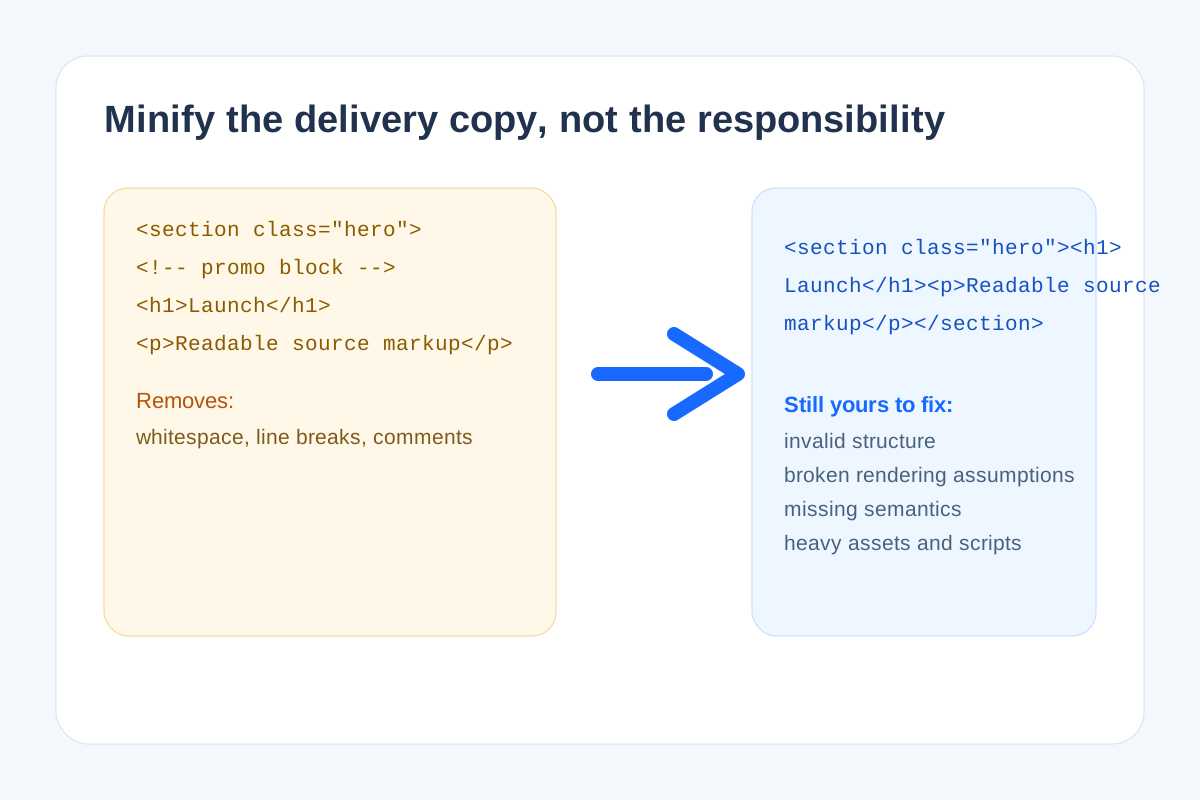
HTML minification is useful precisely because it is narrow. It removes the easy delivery overhead in a snippet or document fragment, but it does not rescue unclear structure, broken markup, or design assumptions that were already wrong before compression. That technical boundary is worth keeping straight, especially when teams paste minified embeds into CMS fields and expect the smaller markup to solve unrelated problems.
What HTML minification actually removes
- Extra whitespace that is not needed to preserve the rendered result.
- Line breaks and indentation added only for human readability.
- Comments that are safe to remove in the delivery copy.
- Some redundant spacing patterns inside the markup that do not change how the browser interprets the structure.
What it does not fix
- Invalid nesting, broken attributes, or missing closing tags.
- Render problems caused by CSS, JavaScript, or CMS container constraints.
- Accessibility issues such as poor labels, missing semantics, or unclear content order.
- Large assets, third-party scripts, or layout assumptions outside the HTML snippet itself.
When minification belongs in the workflow
Minify after the snippet is already correct and after you have previewed it in something close to the destination environment. If you compress first, then start debugging, you have made the code harder for people to inspect at exactly the moment inspection matters most.
Related UtilFlow moves
Use HTML Formatter before minification if the markup still needs human review. Use HTML Preview when the next question is whether the cleaned snippet behaves correctly at the real width and container constraints of the CMS or email tool.
FAQ
Does HTML minification make bad markup good?
No. It only reduces delivery overhead in markup that is already structurally correct enough to ship.
Why should I preview before minifying?
Because debugging readable markup is easier. Once the structure is confirmed, minification can become a final delivery step instead of a debugging obstacle.
What should I check after minifying HTML?
Check that the rendered output still matches the intended layout and that no important comments or spacing-sensitive content were removed by mistake.