Freeze the URL Slug Before the Headline Keeps Changing the Path
Use a slug generator when the title is still being refined but the URL needs to become stable before redirects, analytics labels, and internal links drift apart.
Open URL Slug Generator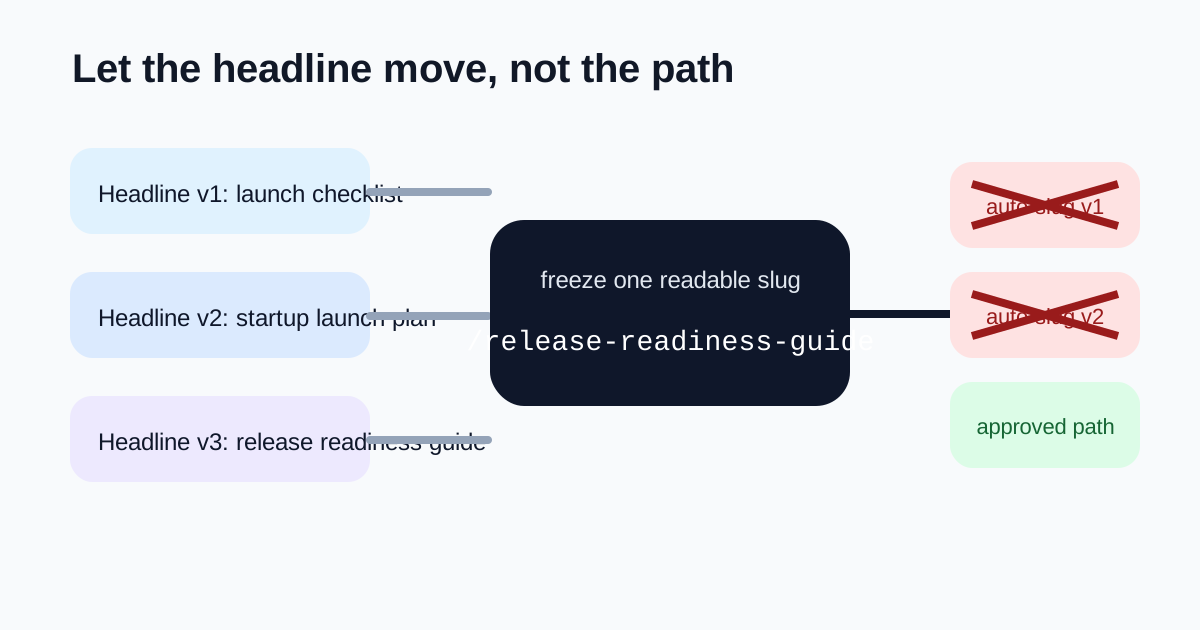
Headline work is supposed to stay fluid longer than URL structure. The problem is that teams often let both move together. A draft title changes three times, a CMS auto-generates a new slug each time, and suddenly the redirect plan, analytics notes, preview links, and internal references no longer point at the same path. Freezing the slug earlier keeps headline iteration from quietly becoming a URL-management problem.
What usually goes wrong
- A page title keeps changing during review and the CMS keeps proposing a different slug for every draft.
- A migration sheet stores one slug while the final editor publishes another.
- A launch brief and an analytics setup both reference the page, but they copied different path versions at different moments.
- A redirect map becomes noisy because several draft slugs were treated as if they were final URLs.
A cleaner slug decision
- Start from the page topic, not from the current exact headline wording.
- Generate a short, readable slug that will still make sense if the headline gains or loses a few words later.
- Keep only the terms that clarify the destination page instead of copying every modifier into the path.
- Write the approved slug once into the brief, CMS field, and redirect sheet so every later reference uses the same path.
- Let title testing continue on the page itself without reopening the URL unless the page topic truly changed.
Why this matters beyond SEO
Stable slugs help search, but they also help operations. Internal links, campaign UTM notes, QA docs, analytics dashboards, and support references all become easier to trust when the path stops changing just because someone improved the headline wording.
What makes a slug resilient
A resilient slug stays human-readable, avoids unnecessary filler, and reflects the page topic rather than the exact latest editorial flourish. That makes it easier to keep the URL stable even while the surrounding metadata still evolves.
Related UtilFlow moves
Use Meta Tag Generator after the slug is locked if the next step is aligning the title, description, and preview metadata. If several old paths need to resolve to the new page, pair the final slug with a redirect checklist in your publishing runbook rather than letting ad hoc rewrites happen later.
FAQ
Should a slug change every time the title changes?
Usually no. If the page topic is still the same, a stable slug is often better than chasing every editorial revision with a new path.
What is the best time to freeze a slug?
Freeze it once the page topic is clear and before the path starts appearing in CMS fields, QA notes, analytics setup, or redirect planning.
What should I keep out of the slug?
Keep out filler words, temporary phrasing, and headline-specific extras that do not help someone understand the destination page later.