What a Regex Tester Reveals About Flags, Boundaries, and Greedy Matches
Use a regex tester to see why a pattern matches too much, too little, or nothing at all before you blame the wrong input.
Open Regex Tester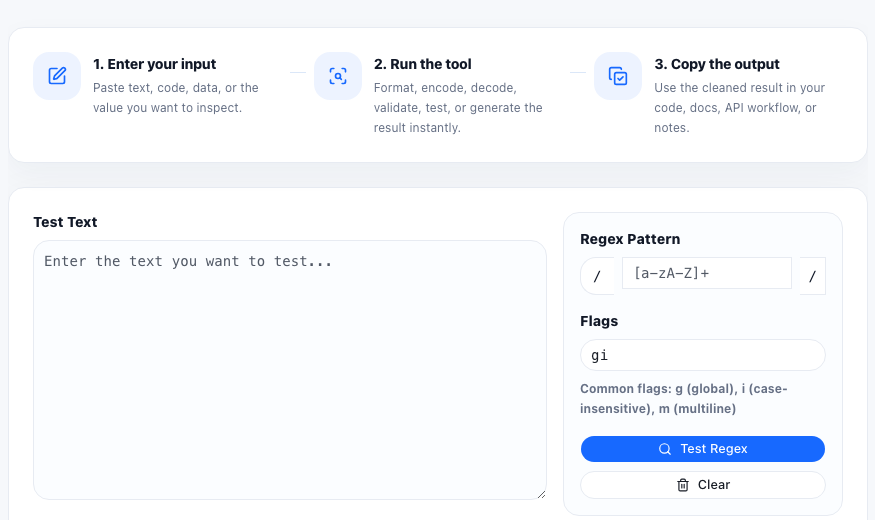
Regular expressions usually fail in understandable ways, but the failure is hidden inside a compact pattern string. A regex tester makes that failure visible by showing where the pattern matched, how many matches were found, and whether the problem came from the flags, the boundaries, or the pattern itself.
Three things a tester makes easier to see
- Flags, such as global or case-insensitive mode, which change how many matches are returned and what letter case counts as a hit.
- Boundaries and anchors, which control whether the pattern can match inside a longer string or only at a specific position.
- Greedy versus narrower matching, which decides whether a pattern consumes too much text before it stops.
Why flags change the result more than people expect
A pattern can look correct and still behave differently because of flags. Global mode changes whether you get one match or many. Case-insensitive mode changes whether Email and email are treated the same. Multiline mode changes how line anchors behave in blocks of text. Testing the same pattern with different flags is often the fastest way to isolate the real issue.
Boundaries explain many false positives
A pattern that should match a whole word may still match part of a longer token if word boundaries were missing. A pattern meant for line starts may match in the middle of a paragraph if anchors were misunderstood. Seeing the highlighted positions in context is what turns a vague regex complaint into a specific boundary problem.
A practical debugging sequence
- Paste the real sample text instead of a simplified example that removes the bug.
- Start with the smallest pattern that should match one known case.
- Toggle flags deliberately and observe how the match count and positions change.
- Check whether the pattern should stop earlier by using a narrower character class or a less greedy structure.
- Copy the confirmed matches when you need to compare them with a validator, parser, or downstream rule.
FAQ
Why does my regex match too much text?
The pattern may be too greedy, too broad in its character classes, or missing boundaries that would limit where a match can start and stop.
Why do I get only one match when I expected many?
Check whether the global flag is enabled. Without it, many regex engines return only the first match.
Should I test regex with simplified sample text?
Use real sample text whenever possible. Simplified examples can hide the spacing, punctuation, or line structure that caused the original problem.