Turn One Sheet Tab Into Demo JSON Before Someone Edits the Rows by Hand
Use a CSV JSON converter tutorial when one spreadsheet tab needs to become demo data, a seed payload, or a simple fixture and manual brace-editing would be the slowest fragile part of the job.
Open CSV JSON Converter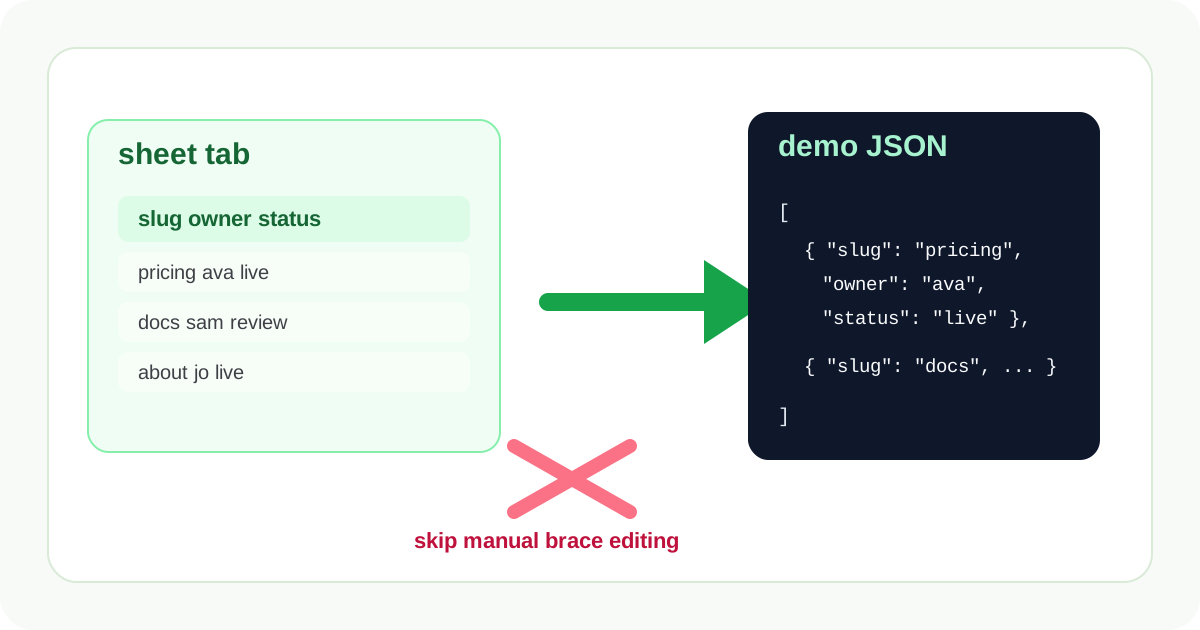
Demo data often starts in the same place real operations data starts: a spreadsheet tab. Product names, feature flags, onboarding steps, redirect rows, FAQs, or small catalog entries get reviewed in rows first because that is what non-technical teammates can edit comfortably. The risky moment is the conversion to JSON, because someone always thinks hand-editing braces will be faster than one clean structural pass.
What to prepare before conversion
- Keep one header row that already uses the field names you want downstream.
- Remove commentary rows, merged cells, and section dividers that belong to the sheet but not to the data structure.
- Decide whether every row should become one flat object or whether some columns should stay out of the first demo payload.
- Copy or export the cleanest tab version before anyone starts rearranging values directly inside JSON.
A short tutorial
- Paste the sheet rows into CSV JSON Converter and create the first JSON output before doing any hand edits.
- Scan the converted objects for empty cells, header typos, and values that should stay consistent across every row.
- Rename awkward headers once at the source if needed instead of fixing the same key repeatedly later.
- Copy the structured JSON into the demo, fixture, or seed file only after the row shape reads cleanly.
- If reviewers still prefer rows, convert the edited result back to CSV rather than making them comment directly on raw JSON objects.
Why the tutorial starts with one sheet tab, not the whole workbook
The goal is a reliable small payload, not an accidental data-migration project. Converting one coherent tab first keeps the data model visible and catches row-level mistakes before additional tabs, joins, or cleanup rules make the job much harder to reason about.
Where this pays off fastest
It is especially useful for documentation examples, onboarding content, test fixtures, lightweight seeds, product demos, and small configuration sets where the structure matters more than full-scale import automation.
Related UtilFlow moves
Use JSON Formatter if the next step is sharing the converted objects in a doc or repository. Use Table Generator when the same data also needs a readable review table for a wiki, ticket, or launch note.
FAQ
Should I clean the spreadsheet before converting it to JSON?
Yes. Cleaning headers and removing non-data rows first is much easier than repairing those mistakes after every row has already become an object.
When is CSV to JSON better than hand-writing a fixture?
It is better when the source already exists in rows and you want every object to inherit the same key structure without manual copy mistakes.
Can I send the data back to reviewers in CSV later?
Yes. That is often the simplest review loop when the team wants structured data but still thinks in rows and columns.