Turn One HTML Fragment Into Clean Markdown Before Tabs, Inline Styles, and Tracking Links Survive the Migration
Use a technical HTML-to-Markdown guide when copied web content needs to become maintainable documentation instead of dragging layout tags, inline styling, and link clutter into the next system.
Open HTML to Markdown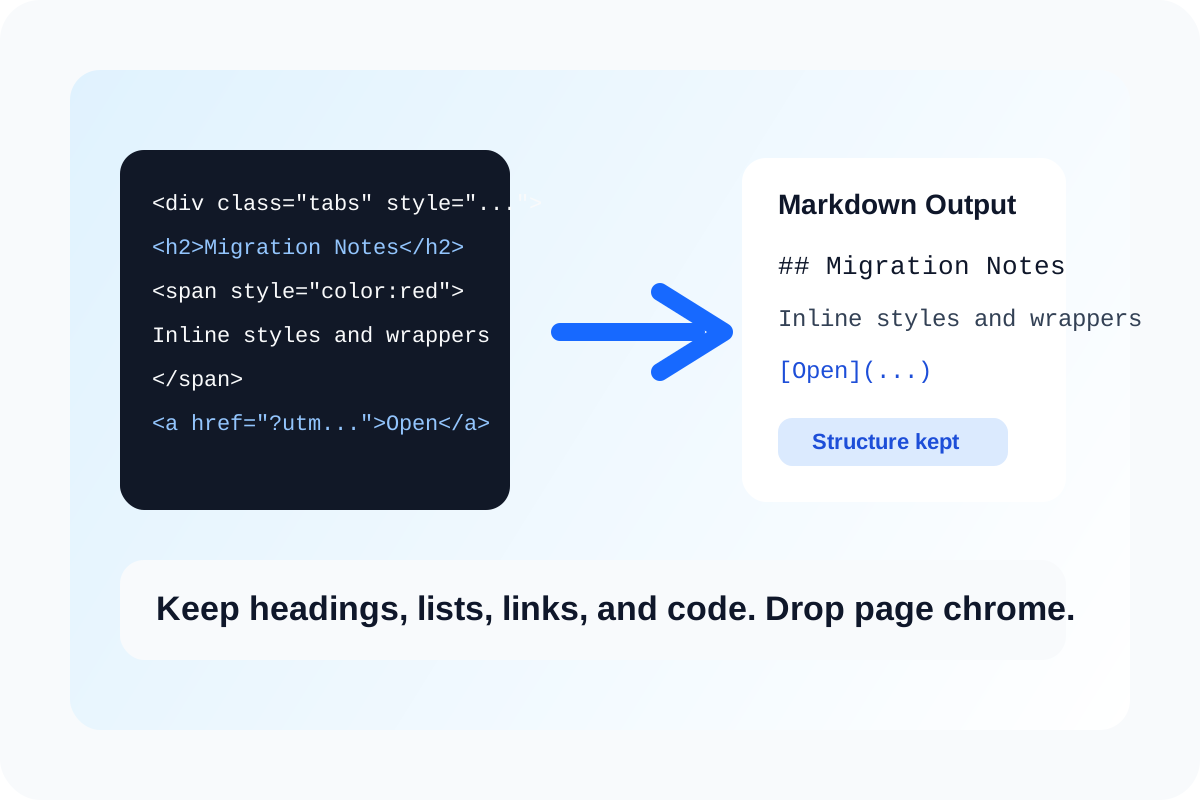
HTML-to-Markdown conversion is useful because web fragments usually contain more delivery detail than documentation actually needs. Inline styles, nested spans, copied tracking wrappers, and layout-only containers help a browser render a page, but they often add noise when the destination is a README, a knowledge base, or a notes tool built around plain structure.
What the conversion is really doing
At a technical level, the tool is mapping rendered-document structure back into a smaller writing model. Headings, paragraphs, lists, emphasis, links, and code blocks usually survive well because Markdown has direct equivalents. Layout scaffolding does not. The useful question is not whether every tag survives. The useful question is whether the content keeps the structure the next editor still needs.
Where messy HTML causes trouble
- Copied release notes drag inline colors and spacing spans into a docs repo that only wants readable source.
- A CMS export includes tracking-heavy links that make the markdown harder to review than the content itself.
- Tabbed or card-based UI content was copied as HTML, but the destination only needs the text hierarchy and links.
- A support article draft should become a simple markdown document that teammates can diff and edit cleanly.
A cleaner technical workflow
- Paste one representative HTML fragment instead of a whole site page so you can inspect how the important structures map.
- Check whether the heading levels, ordered lists, bullet lists, links, and code-like sections survive in a readable markdown form.
- Look for the pieces that should disappear, such as inline presentational styles, redundant wrappers, or layout-only containers.
- Clean the remaining markdown only after the structure is right, because formatting too early makes it harder to tell whether the conversion itself worked.
- Move the result into Markdown Editor or a docs repo once the document reads like source text rather than copied page chrome.
What Markdown will not preserve well
Markdown is intentionally narrower than HTML. It will not preserve every tabbed layout, multi-column block, or presentational micro-detail. That is usually a benefit in documentation workflows because the goal is durable structure, not pixel-for-pixel re-creation.
Related UtilFlow moves
Use Markdown Editor next when you want live preview and cleanup on the converted result. If the source should stay as web-ready markup instead, use HTML Preview to inspect the original fragment before deciding conversion is even the right move.
FAQ
Why convert HTML to Markdown instead of keeping the original markup?
Because many documentation destinations are easier to review, diff, and maintain when the source is reduced to content structure rather than presentation markup.
Will HTML to Markdown keep every visual detail?
No. It mainly preserves the content structures that Markdown can represent cleanly and leaves behind many layout-specific details.
What should I inspect first after conversion?
Inspect the heading hierarchy, list structure, links, and any code-like blocks, because those are the pieces most likely to matter in the next editing system.