Turn a URL Inventory Into a Review Table, Preview, and Launch-Ready Sitemap
Run one chained workflow when a small site or content batch needs a clean URL review step, a readable documentation view, and a final XML sitemap without rebuilding the same list in four places.
Open Sitemap Generator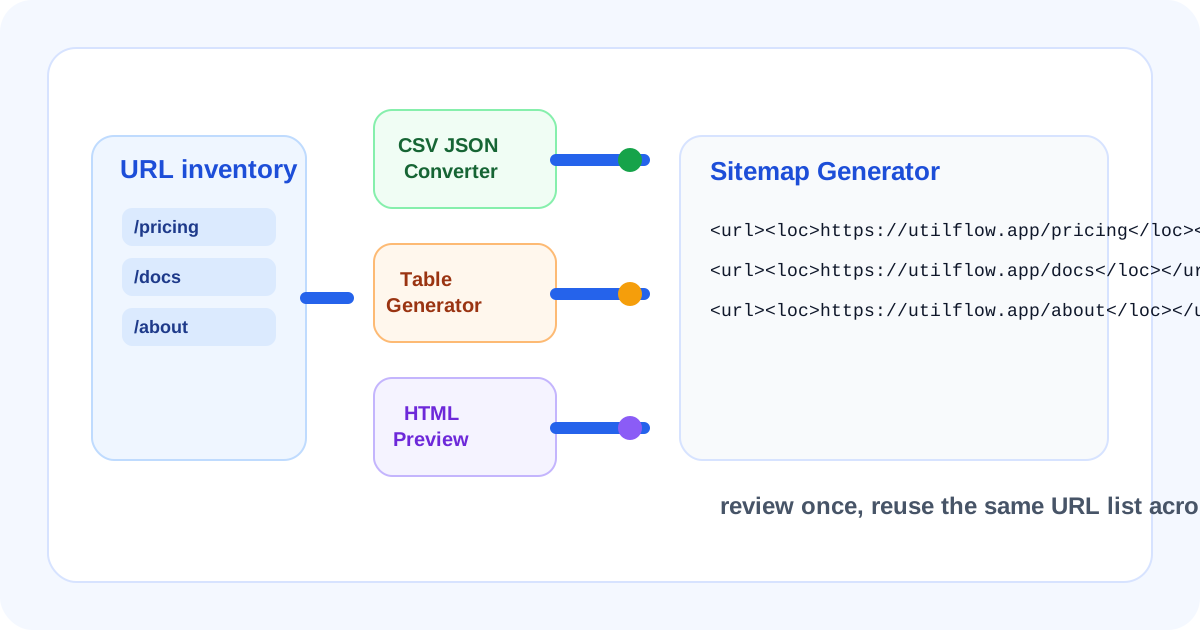
Small launches often fail in a boring way: the URL list exists, but each team copies it into a different format. One sheet drives review, another note drives documentation, and a third manual list drives the sitemap. This workflow keeps one URL inventory moving through four lightweight steps so review, presentation, and crawl-readiness stay aligned.
The tool order
- Start with CSV JSON Converter if the source of truth is still a spreadsheet export and you need one structured representation before people begin freehand edits.
- Move to Table Generator when the same URL inventory needs a scan-friendly table for a ticket, launch doc, or review thread.
- Continue to HTML Preview if the review table or snippet will be embedded into a CMS, help center, or internal documentation block and should be checked before paste time.
- Finish with Sitemap Generator once the URL list is approved and the job shifts from human review to crawlable XML output.
When to stop and copy
- Stop after CSV JSON Converter if the only next step is handing structured URL data to a developer or script.
- Stop after Table Generator if the launch only needs a clean review table and the sitemap will be handled elsewhere.
- Stop after HTML Preview if the team mainly needs a rendered documentation block or announcement module that lists the approved URLs.
- Use Sitemap Generator only after the reviewed URL list is final enough that you would be comfortable exposing those paths to search crawlers.
What to check after each step
- After CSV JSON Converter: confirm the canonical URL, slug, and page-type columns survived with consistent keys and no accidental blank rows.
- After Table Generator: confirm the columns help reviewers spot bad slugs, draft paths, or missing owners quickly instead of burying the signal in commentary.
- After HTML Preview: confirm the embedded table or list still reads cleanly at the width the destination module will actually allow.
- After Sitemap Generator: confirm only approved live URLs remain and that the final XML reflects the same inventory the team just reviewed.
Why this workflow is cleaner than maintaining four separate lists
The strength of the workflow is not only speed. It is consistency. The same URL inventory can support structured data, human review, rendered preview, and sitemap output in sequence, which sharply reduces the chance that one stale draft path survives only because it was copied into the wrong list at the wrong time.
Related UtilFlow moves
Use URL Slug Generator earlier if the page topics are still being turned into stable paths. Use Meta Tag Generator after the URL list is fixed if the next handoff is page-level metadata rather than crawl inventory.
FAQ
Why start with CSV JSON Converter for a sitemap workflow?
Because many teams still manage launch URLs in spreadsheet rows first, and one structured pass reduces copy mistakes before the review and sitemap steps diverge.
When is Table Generator worth using in the middle of this chain?
It is worth using when humans need to approve or comment on the URL inventory before it becomes final XML.
What is the final decision point before generating the sitemap?
The final decision point is whether the reviewed URL list is truly launch-ready, because sitemap generation should reflect approved live paths, not draft inventory.