Turn a Rough README Plan Into One Clean Markdown Section Before the PR Description Forks Again
Use a Markdown editor workflow when the same setup note, release explanation, or migration summary keeps splintering across PRs, docs, and copied chat drafts.
Open Markdown Editor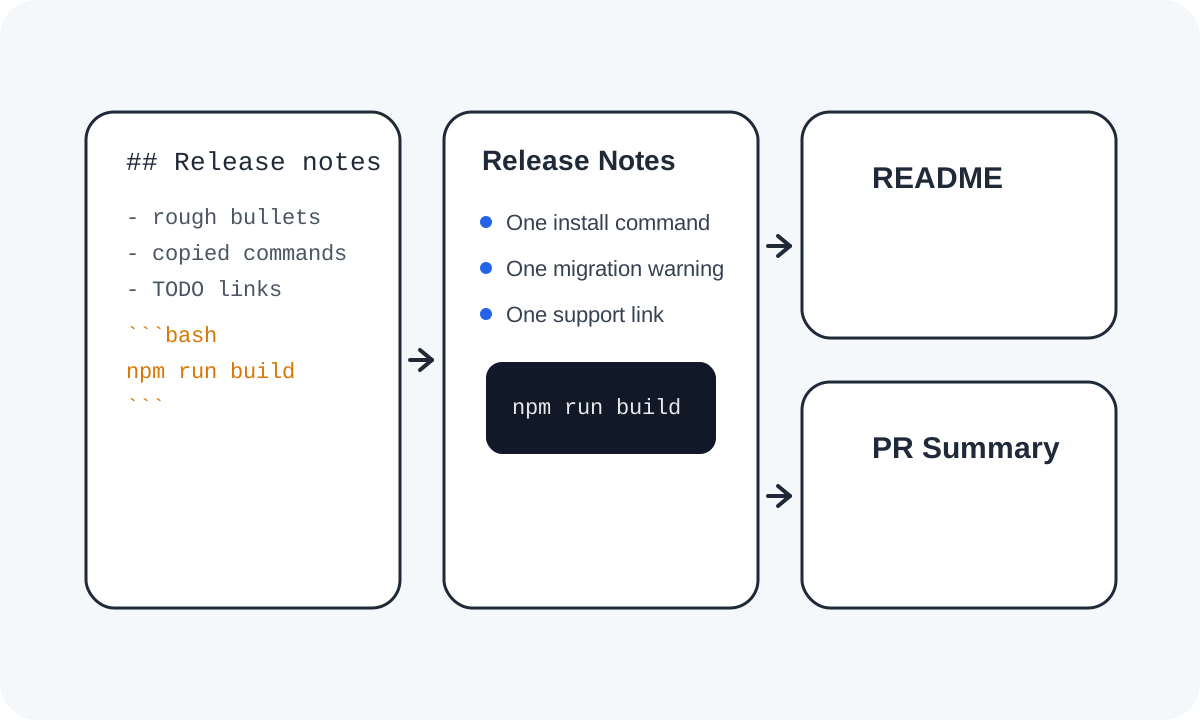
A documentation block often fragments before it is even finished. The setup note starts in chat, the release explanation moves into a pull request, and someone later copies a half-edited version into the README. The result is not one bad sentence. It is three diverging versions of the same section. A markdown editor helps because it gives that section one small drafting home before it spreads.
What to draft once before you paste anywhere
- A README setup subsection that will also appear in the pull request summary.
- A migration note that needs the same bullets in docs and release comms.
- A troubleshooting block with commands, expected output, and one warning callout.
- A launch checklist intro that should render cleanly in both a repository and an internal doc.
A clean markdown workflow
- Start with the one section that keeps getting recopied instead of drafting the whole document.
- Write the headings, bullets, code fences, and links in one markdown editor pass while watching the live preview.
- Tighten the section until the rendered version already looks like something you would approve in a README or PR description.
- Copy markdown when the destination renders markdown directly, or copy HTML only when the next surface expects markup.
- Paste the finished block into the README, PR, or doc and treat that shared source as the version to revise next time.
Why this workflow cuts rework
The benefit is not just prettier formatting. It is version control at the paragraph scale. When one clean section exists first, reviewers stop fixing list spacing in one surface while another surface quietly keeps the older text. The markdown workspace becomes the staging area where structure problems and wording drift are cheaper to catch.
What to check before copying out
- Heading depth should match the destination section, not jump abruptly for visual emphasis.
- Bullets should scan cleanly without becoming a wall of wrapped text.
- Code fences should open and close exactly where intended.
- Links should still make sense when read outside the original conversation thread.
Related UtilFlow moves
If the source starts as copied web markup, use HTML to Markdown first. If the destination needs rendered markup rather than markdown source, continue into Markdown to HTML after the section structure is stable.
FAQ
Why not just draft directly in the pull request or README?
You can, but a separate markdown drafting pass makes structure visible first and reduces the chance that multiple copies of the same section drift apart.
What kind of section benefits most from this workflow?
Setup notes, migration summaries, troubleshooting blocks, and launch explanations benefit most because they are often pasted into more than one surface.
When should I copy HTML instead of markdown?
Copy HTML only when the next destination needs markup. If the destination already renders markdown, keep the source in markdown so future edits stay simpler.