How to Review API Payload Changes With JSON Compare
Compare old and new JSON payloads side by side before calling a response change a bug or a regression.
Open JSON Compare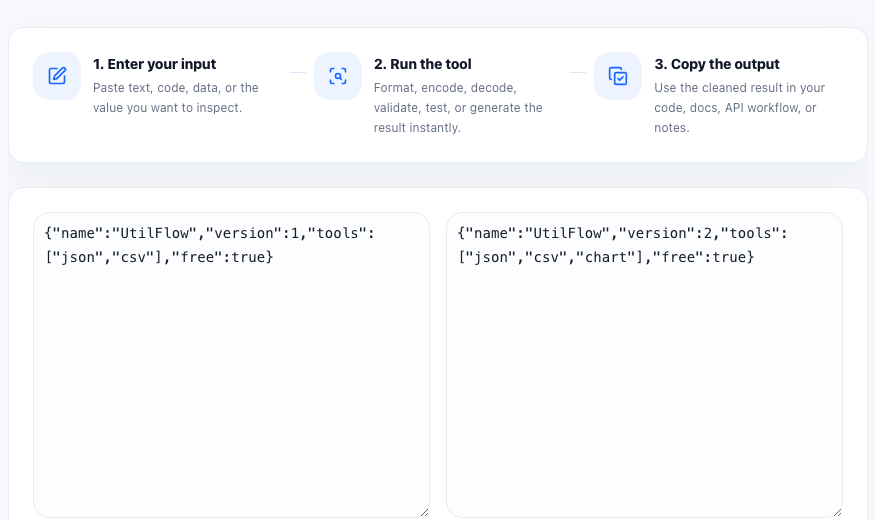
When an API response changes, the first report is often too vague: something is missing, the order looks different, a nested object moved, or a value type changed. Comparing the previous and current payload side by side is the fastest way to replace that vague report with an exact list of differences.
What to compare
- A known-good API response and the new failing response.
- Two environment snapshots, such as staging versus production.
- Before-and-after configuration exports.
- Fixture updates in tests when a contract changed intentionally.
A useful comparison workflow
- Capture complete JSON from both sources instead of screenshots or partial log lines.
- Format both payloads first if they are minified or hard to read.
- Compare them side by side and identify missing keys, new keys, changed values, and changed nesting.
- Write the bug report around the specific fields that changed instead of around the entire payload.
- If the change is expected, update fixtures and downstream assumptions together.
What differences matter most
Missing required fields, type changes, renamed keys, null values where objects used to exist, and moved arrays usually matter more than simple ordering changes. The point of the comparison is to separate behavioral changes from formatting noise.
Related debugging tools
JSON Compare works well with JSON Formatter and JSON Validator. Format first when the payload is dense, validate when you suspect syntax issues, and then compare once both sides are readable.
FAQ
Should I format JSON before comparing it?
Yes. Formatting makes structural differences easier to read and reduces the chance of missing a changed nested field.
Does a different key order always mean a bug?
No. Key order alone may not affect behavior, depending on the system. Focus on missing fields, changed values, and structural changes first.
Can JSON Compare help with test fixture updates?
Yes. It is useful for reviewing intentional response changes before updating snapshots or fixtures.