Read a Bitmask in Binary Before One Hex Value Turns On the Wrong Flag
Use a number base converter when a copied hex value looks authoritative but the real debugging question is which bits are actually on, off, or colliding with the wrong flag.
Open Number Base Converter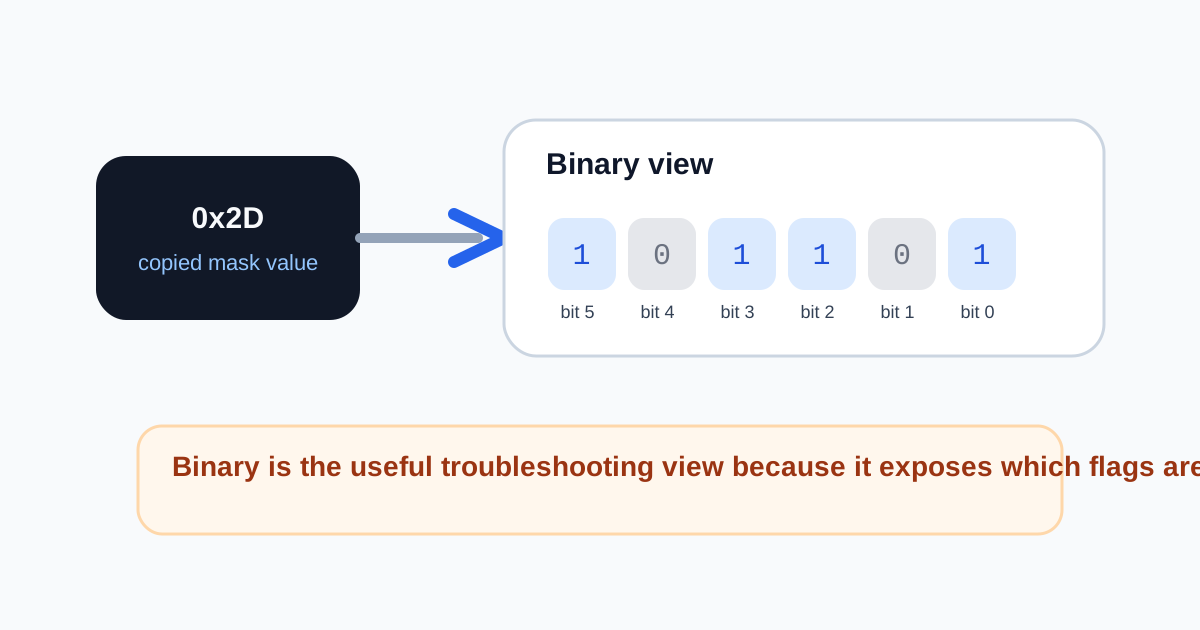
Hex is compact, but compact values can hide the exact mistake you need to see. A permission mask, device register, feature flag set, or protocol field may arrive as one neat value such as 0x2D, yet the problem is not the hex notation itself. The problem is understanding which bits that value actually enables. Converting the value into binary is often the fastest way to stop guessing.
Where the wrong-flag problem appears
- A permission or feature mask is copied from logs and one behavior looks enabled when it should not be.
- A hardware or protocol example arrives in hex while the documentation explains the flags in binary positions.
- A config review has several mask values that look close enough by eye, but one bit changes the entire meaning.
- A classroom or interview question becomes harder than it should be because the representation hides the pattern.
Why binary is the useful troubleshooting view
Binary makes the bit pattern visible. You stop treating the value like a mysterious token and start reading it as a row of switches. That is what lets you confirm whether bit 0, bit 3, or bit 5 is actually on, whether two flags overlap, and whether the copied hex value really matches the intended mask.
A practical debug workflow
- Start with the exact hex or decimal value that the system produced, not a rewritten version from memory.
- Convert it into binary so the enabled and disabled positions become visible.
- Compare the bit positions against the flag documentation rather than against the raw hex token.
- Convert back into hex or decimal only after you understand the pattern well enough to explain what changed.
Why this problem wastes time in teams
One person talks about 0x2D, another talks about bit 5, and a third references decimal 45 from a spreadsheet or spec. The underlying value is the same, but the conversation becomes fragmented by notation. A quick number base check puts everyone back on the same value before the debugging story drifts.
Related UtilFlow moves
If the value eventually feeds a config snippet, keep Code Formatter or JSON Formatter nearby so the corrected mask lands in readable output. If the confusion is about byte size rather than notation, switch next to Byte Converter instead of forcing a number-base tool to answer a storage question.
FAQ
Why convert a hex bitmask into binary first?
Because binary shows the actual on and off positions directly, which is what matters when the question is about flags rather than shorthand notation.
Does converting bases change the value?
No. It only changes how you view the same value, which helps when different people or systems describe it in different forms.
When should I switch back to hex after checking the bits?
Switch back once you understand the flag pattern and need to return the corrected value to the system or document that expects hex notation.