Format the YAML Before One Copied CI Step Breaks the Whole Workflow
Use a short YAML tutorial when a copied CI, deployment, or automation snippet looks almost right, but the real job is proving the structure before it reaches a stricter parser.
Open YAML Formatter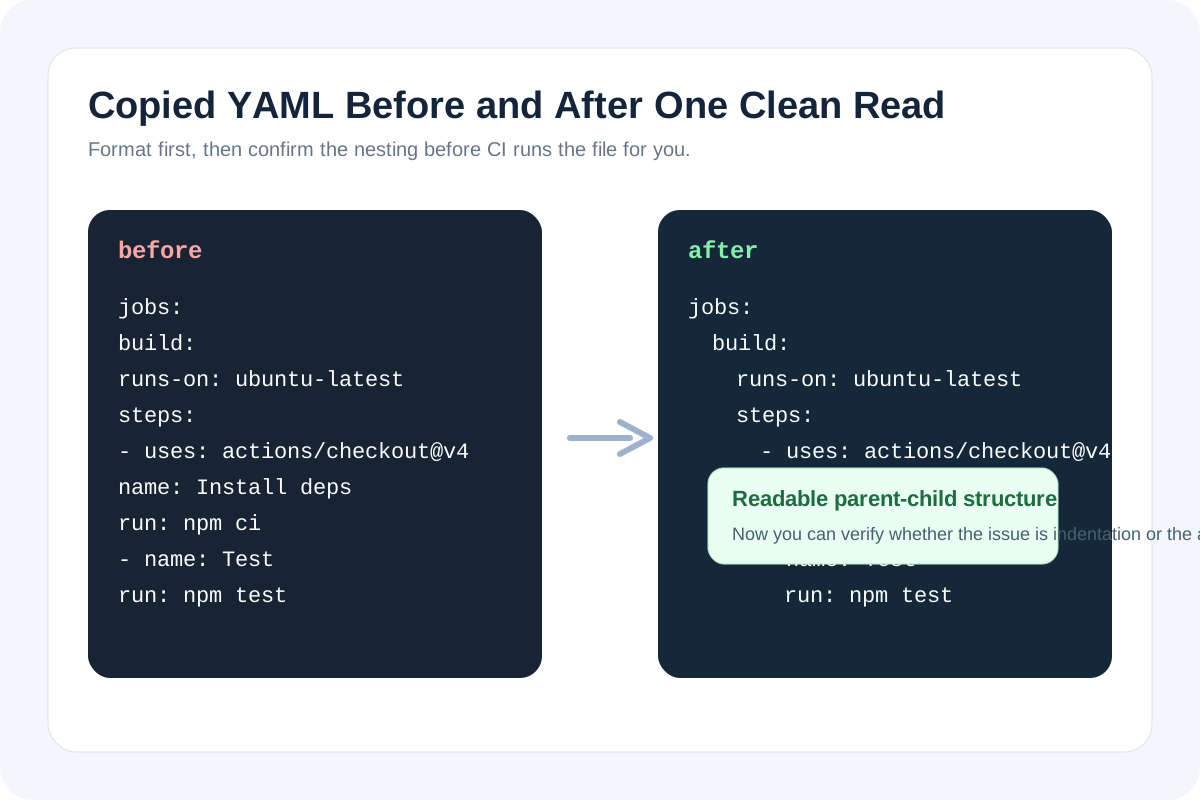
A copied YAML snippet often fails in the most annoying way possible: not obviously enough to stop you from pasting it, but wrong enough to break the next run. One list item sits at the wrong depth, one environment key no longer belongs to the block you thought it did, or a quick edit in chat leaves the indentation visually close and structurally wrong. A small formatting tutorial creates a checkpoint before the parser becomes the first person to tell you the copy drifted.
A practical YAML check tutorial
- Paste the YAML exactly as copied from docs, chat, or an old repository so you are checking the real snippet rather than a partly repaired version.
- Format it first and read the hierarchy from the outside in: top-level keys, nested mappings, then list items inside each block.
- Confirm that each repeated list item belongs to the parent block you intended, especially under jobs, steps, services, or matrix definitions.
- Only after the structure reads cleanly should you edit key names, values, or comments for the destination workflow.
- Copy the cleaned YAML into the real file and do one final glance for any platform-specific keys the formatter could not validate semantically.
Where this catches real CI mistakes fast
- A GitHub Actions step was pasted one level too far left and no longer belongs to the intended job.
- A deployment config copied from documentation mixes list items and nested mappings unevenly.
- An AI-generated snippet preserved the words but not the exact indentation shape a parser needs.
- Several small edits were made in a ticket or chat thread before the final YAML reached the repo.
What this tutorial is and is not proving
Formatting proves readability first, not platform correctness. That still matters, because many quiet YAML failures are structural before they are semantic. Once the hierarchy is readable, it becomes much easier to see whether the next problem is a missing secret, wrong key, or unsupported option instead of a spacing mistake.
Why this is worth doing before the commit
A failed workflow run is an expensive formatting preview. Running the YAML through a readable checkpoint first is faster than discovering the indentation issue only after the branch pushes, the deployment starts, or the CI queue fills.
Related UtilFlow moves
If the destination ultimately needs JSON instead of YAML, continue to YAML to JSON after the structure is clean. If the snippet is still hard to compare against the prior version, use Text Diff next so the structural change is visible line by line.
FAQ
What is the main benefit of formatting YAML before pasting it into CI?
It makes the nesting and list structure readable enough to catch indentation drift before the workflow parser does.
Can a YAML formatter tell me whether the platform-specific keys are valid?
Not by itself. It helps expose structure first, then you still need to verify that the keys and values match the destination platform.
When is this tutorial most useful?
It is most useful when YAML was copied from docs, AI output, tickets, or old repos and the structure may have shifted during the handoff.