Encode a Nested Redirect URL Before the Tracking Link Eats Half the Destination
Use a URL encoder tutorial when one destination URL has to travel inside another link and a raw ampersand, equals sign, or space keeps turning the redirect target into broken tracking noise.
Open URL Encode/Decode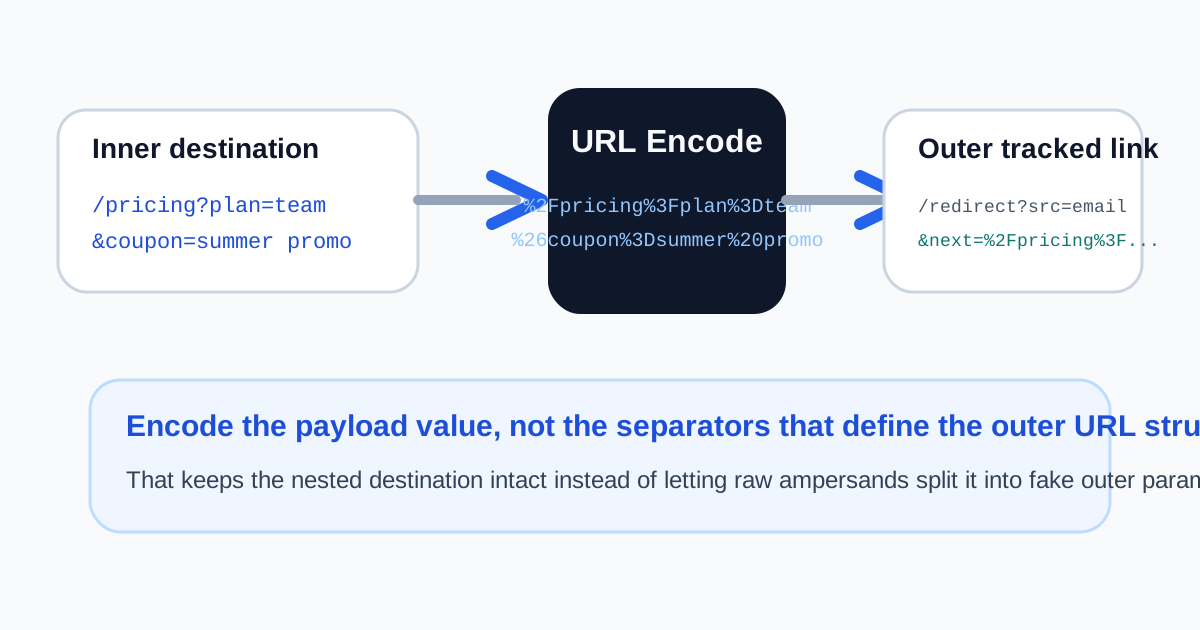
The painful version of a campaign or login-link bug is that the link still opens. It just opens with missing intent. A redirect target loses half its query string, a callback value silently stops at the first ampersand, or a tracked destination drops the filter that was supposed to be preserved. This is the exact job URL encoding solves: keep the nested value intact before it becomes part of a larger URL.
A nested redirect tutorial
- Start with the inner destination URL exactly as it should work on its own, including its own path and query parameters.
- Encode that full destination as the parameter value before placing it inside the outer redirect, tracking, or callback link.
- Keep the outer URL structure readable so the base path, parameter names, question mark, and separators still do their normal job.
- Paste the finished link into URL Parser or a browser test tab and confirm the destination value still decodes back to the full intended target.
- Only after the nested value survives intact should you ship the tracked link into email, ads, auth flows, or a redirect template.
Where this tutorial saves real debugging time
- An email campaign link wraps a landing-page URL that already contains filters or UTMs of its own.
- A login flow needs a return URL parameter so the user lands on the exact destination after authentication.
- A support tool or webhook passes a callback URL inside another service's request format.
- A test environment works with simple values, but the production link fails once spaces, plus signs, or ampersands appear in the real parameter.
The technical rule that matters most
Encode the payload value that must travel safely, not the separators that give the outer URL its structure. Once you blur that distinction, it becomes hard to tell whether a problem lives in the redirect target, the wrapper link, or the application logic that reads it.
Related UtilFlow moves
Use URL Parser next when you want to inspect whether the outer link still holds the full encoded payload. If the parameter content was copied from a document or CMS and may include hidden characters, run a quick text cleanup or diff check before assuming the encoding step itself is wrong.
FAQ
When do I need to encode an entire destination URL?
Encode it when that destination URL is being used as the value of another parameter, such as a redirect, callback, or tracking field.
Should I encode the outer URL too?
Usually no. Keep the outer URL structure readable and encode only the nested value that needs to travel safely inside it.
Why does the broken link still seem to open?
Because the browser can open the wrapper link while the destination service silently truncates or misreads the nested parameter value.