How to Draft a README Section With a Live Markdown Preview
Write and refine Markdown sections with live preview before you paste them into a README, wiki, release note, or internal doc.
Open Markdown Editor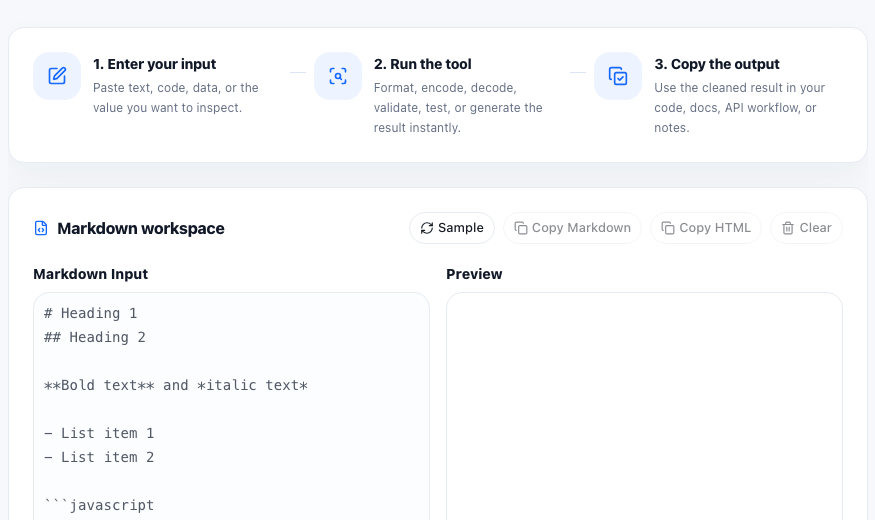
README work often starts outside the repository. A teammate wants a setup section, a support article needs a code block, or a product note needs a short checklist before someone pastes it into GitHub, a wiki, or a CMS. A live Markdown preview reduces the guesswork before that content moves into its final home.
What to draft in a Markdown workspace first
- Headings and short intro paragraphs for a README or docs page.
- Setup steps with ordered lists and inline commands.
- Checklists for launch, QA, or handoff notes.
- Code fences for API calls, shell commands, or config examples.
- Links and short quotes that need to stay readable after paste.
A simple tutorial workflow
- Start with the final section you actually need instead of drafting the whole document at once.
- Write the Markdown in the editor and watch the preview for heading hierarchy, list spacing, and code block readability.
- Copy the Markdown when the destination supports it directly, such as GitHub, a docs repo, or a notes system.
- Copy the generated HTML when the destination expects markup instead of raw Markdown.
- Paste into the real destination and do one last check for link behavior, spacing, and code formatting.
Why preview matters before pasting
Most Markdown mistakes are not syntax disasters. They are small structure problems: a list item that should be nested, a heading that skips levels, a code fence that broke because of copied backticks, or a link that became hard to scan inside a long paragraph. Preview turns those layout problems visible before the content spreads into multiple systems.
Where this fits in a documentation workflow
This works well for README updates, incident notes, release summaries, onboarding snippets, and quick docs patches where the goal is not full editorial polish. The goal is to produce one clean, portable section that can move into the next publishing step without reformatting from scratch.
FAQ
When should I copy Markdown instead of HTML?
Copy Markdown when the destination renders Markdown directly, such as GitHub or many documentation systems. Copy HTML when the destination needs markup instead.
What should I check in the live preview?
Check heading order, list spacing, code block formatting, link readability, and whether the section would still make sense after paste.
Is a Markdown editor useful even for short notes?
Yes. Short notes still benefit from quick structure checks when they contain lists, commands, links, or formatting that needs to survive copy and paste.