Convert YAML to JSON Without Losing What the Indentation Was Actually Saying
Use a YAML to JSON converter for the technical handoff between readable config snippets and strict JSON fields, while keeping the real structure visible before an API, app setting, or workflow parser rejects it.
Open YAML to JSON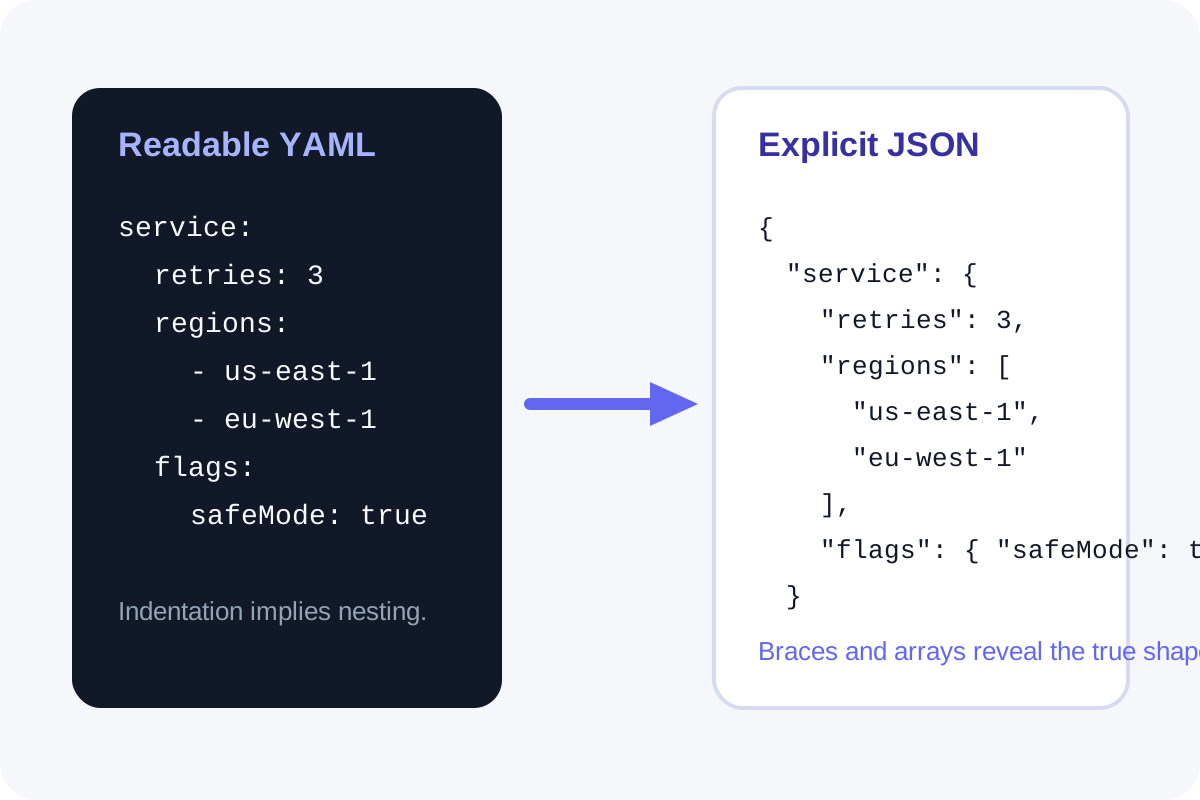
YAML feels easy right up until the receiving system only accepts JSON. Then the issue stops being readability and starts being structure. A YAML to JSON converter is useful because it makes the nesting explicit before you paste the result into an API tool, a CMS field, or an app setting that does not tolerate indentation mistakes, implied lists, or casually mixed scalar values.
What the converter is really preserving
The important preservation is not line breaks or comments. It is structure: which keys belong together, which values are arrays, which entries are nested objects, and whether repeated indentation actually means a deeper branch. JSON forces that structure into visible braces and brackets, which is why the conversion step catches misunderstandings early.
Where YAML and JSON handoffs fail
- A deployment or app-setting field only accepts JSON, but the documentation example is written in YAML.
- Frontmatter or config notes were copied from a markdown file and now need to become a machine-checked payload.
- A teammate edited indentation casually, so the human-readable YAML still looks plausible while the actual nesting changed.
- A list-versus-object distinction was obvious in YAML context but becomes ambiguous once pasted into a different tool.
A technical conversion check
- Paste the YAML exactly as it exists in the source so the indentation and list markers are honest.
- Convert it to JSON and inspect the brace and bracket structure rather than only trusting that the conversion ran.
- Check whether arrays stayed arrays and whether nested keys landed under the parent you intended.
- Only after the structure looks right should you paste the JSON into the destination field, payload, or config editor.
What conversion does not solve for you
Format conversion does not guarantee semantic correctness. A valid JSON object can still carry the wrong key names, enum values, or environment-specific settings. The converter reduces one class of error: hidden structure mistakes during the handoff from readable config to strict payload.
Related UtilFlow moves
If you need to validate the final payload shape, continue to JSON Validator. If the source is XML instead of YAML, switch to XML to JSON so the structural inspection still happens before the next paste.
FAQ
Why convert YAML to JSON instead of rewriting it by hand?
Because hand-rewriting invites structure mistakes, especially around nesting and arrays, while the converter makes the resulting object shape explicit immediately.
Will YAML comments appear in the JSON output?
No. The useful part of the conversion is the data structure, not YAML comments or formatting conventions.
What should I inspect after conversion?
Inspect the object and array structure first, then confirm the key names and values still match what the destination system expects.