Build a Donut Chart When You Need One Big Number and a Share Breakdown
Use a donut chart tutorial when the audience needs both the overall total and a quick part-to-whole breakdown without reading a dense table first.
Open Donut Chart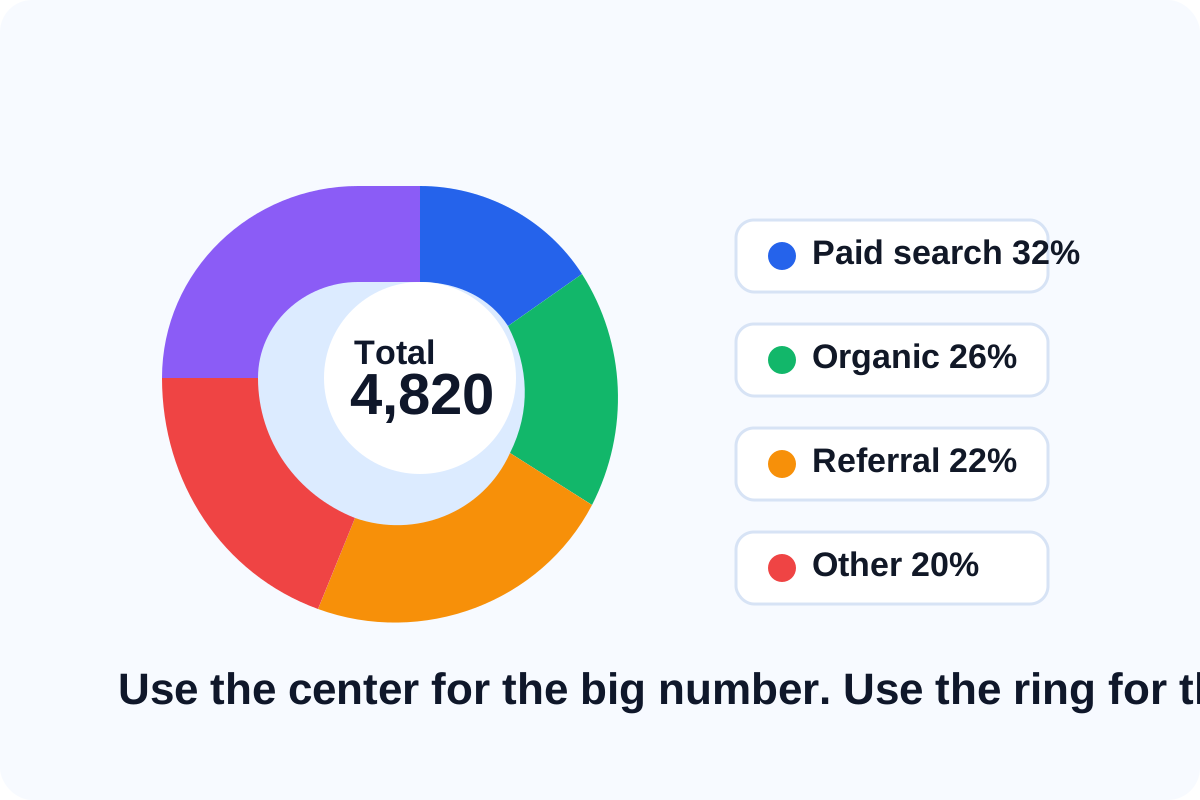
A donut chart is useful when the audience should understand two things quickly: the total in the middle and how that total is divided around the ring. That makes it a practical choice for traffic-source share, budget allocation, ticket categories, survey splits, or any summary where one headline number matters as much as the composition behind it.
A quick tutorial workflow
- Start with a short list of categories and values that truly add up to the story you want to tell.
- Keep the number of slices small enough that each segment remains distinguishable at a glance.
- Use the center space for the main total or label that people should remember first.
- Preview the chart and check whether the legend, labels, and color contrast still work when the chart is viewed at slide or document size.
- Export it only after the breakdown reads clearly without a long verbal explanation.
When a donut chart works better than a bar chart
Use a donut chart when the core question is composition, not exact ranking. If the audience must compare categories precisely, a bar chart is usually clearer. But when the message is mostly how the whole is divided, the donut can communicate faster.
What makes the chart easier to read
- A limited number of categories.
- Distinct colors with enough contrast between adjacent slices.
- A center label that names the total or metric clearly.
- Labels that stay short instead of explaining the whole chart inside the legend.
Related UtilFlow moves
If the underlying data starts in a flat table, clean it first with CSV Chart Maker. If exact comparison becomes more important than composition, rebuild the same data as a bar chart instead.
FAQ
What is the best use case for a donut chart?
Use it when you want to show part-to-whole composition while still highlighting one overall total in the center.
How many slices should a donut chart usually have?
Fewer is usually better. Once there are too many slices, the breakdown becomes harder to scan quickly.
When should I switch to a bar chart instead?
Switch when the audience needs precise category comparison or ranking rather than a quick composition view.