What a Table Generator Normalizes and What It Still Needs From You
Use a technical table-generator guide when rows need to become Markdown, HTML, or CSV cleanly and the hidden question is which formatting problems the tool can normalize versus which structure mistakes still require human decisions.
Open Table Generator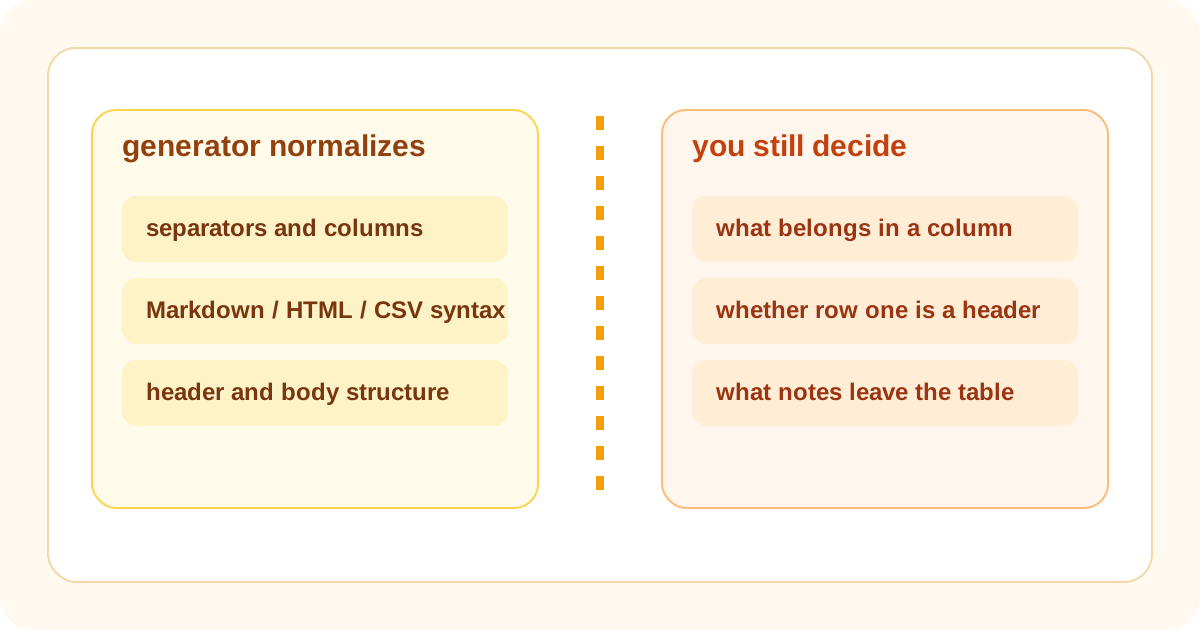
A table generator feels simple because the interface is simple. Paste rows, choose an output, copy the result. The technical reality is narrower. The tool is very good at turning already row-like data into consistent separators, headers, and structured output. It is much less able to decide whether your columns make sense, whether the header row is actually a header, or whether one giant notes column should have been a paragraph below the table instead.
What the generator usually normalizes well
- Consistent column separators across rows that already belong in the same table.
- Header and body structure once the first row really is the header row.
- Output syntax for Markdown, HTML, or CSV after the row model is stable.
- A cleaner copy target than trying to align pipes, commas, or table tags manually.
What it cannot infer safely
It cannot reliably tell whether the first row is a title, a header, or just another data row. It cannot decide that one column should be split into two, that long commentary belongs outside the table, or that one inconsistent status label actually means the same state as another. Those are modeling decisions, not formatting decisions.
Why this distinction matters
When teams expect a table generator to solve a messy information model, they blame the tool for output that is technically correct but still hard to read. When they treat it as a structure-preserving formatter, it becomes much more useful. Clean the table logic first, then let the tool normalize the representation.
A safer technical workflow
- Decide which columns really belong in the comparison and which notes belong outside the table.
- Make sure each row represents the same kind of thing before generation starts.
- Choose whether the first row is a true header row instead of letting that assumption drift implicitly.
- Generate the table, then preview it in the destination where width, wrapping, and scan speed actually matter.
Related UtilFlow moves
Use Text Cleaner before generation when the copied rows carry extra spaces or broken line endings. Use HTML Preview after generating HTML output if the table is heading into a CMS block or documentation embed where rendered width matters.
FAQ
What is the table generator actually solving?
It solves representation and syntax cleanup for row-based data, not the deeper modeling question of what should or should not be a table column.
Why does a generated table still look bad sometimes?
Usually because the row model was weak before generation started, with overloaded columns, inconsistent headers, or commentary that never belonged inside cells.
When should I choose Markdown versus HTML output?
Choose Markdown when readable source matters in docs or tickets, and choose HTML when the destination needs markup-level control or direct embedding.