How to Turn Rough Notes Into a Clean Markdown Table
Convert quick rows of copied notes, TSV, or comma-separated text into a table you can paste into docs, tickets, or README files.
Open Table Generator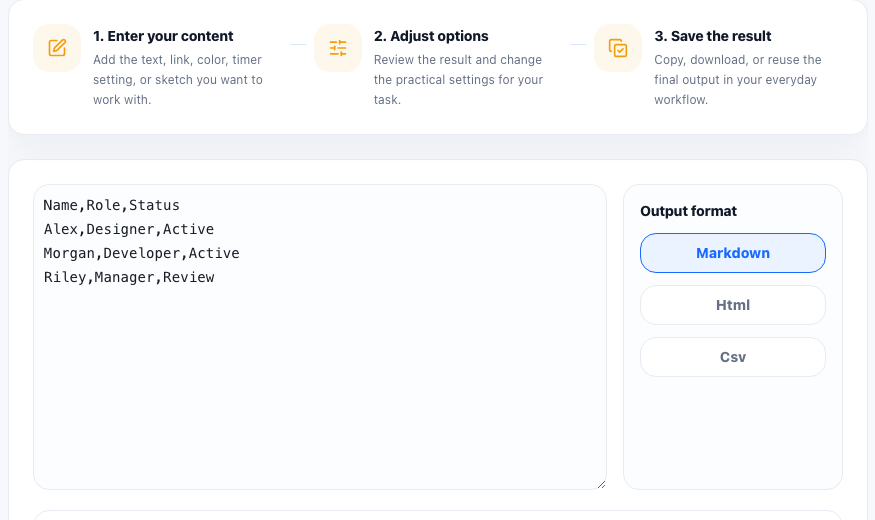
A lot of table work starts outside a spreadsheet. It may begin as copied release notes, a support checklist, a small pricing comparison, or a list of feature names and statuses in chat. A table generator helps when the structure is simple but you still want a clean result.
Prepare the rows first
- Decide what each column means before pasting anything.
- Keep one row per item and one separator style throughout the input.
- Use short headers so the final table stays readable in narrow layouts.
- Remove commentary lines that do not belong in the table itself.
A simple table-building tutorial
- Paste comma-separated or tab-separated rows into the table generator.
- Check that the first row should be treated as headers if your output needs labels.
- Choose Markdown when the table is going into a README, issue, or docs page.
- Choose HTML when you need markup for a site or embedded content block.
- Copy the output and preview it where it will actually be published.
When CSV or HTML is better than Markdown
Markdown tables are convenient for documentation, but they are not ideal for every destination. If another system needs importable rows, keep CSV. If a page needs richer styling or responsiveness, HTML may be the better output format.
Final checks before pasting
Look for columns that drift because of missing separators, long text that should move into notes, and rows that would read better when sorted or cleaned first.
FAQ
What kind of input works best for a table generator?
Simple comma-separated or tab-separated rows with a consistent number of columns work best.
Should I use Markdown or HTML output?
Use Markdown for docs and tickets, and use HTML when the destination needs markup or richer presentation control.
Why does one row break the whole table?
A missing separator or an extra value in one row can shift the column structure, so check inconsistent lines first.