What a Milestone Invoice Needs Before Finance Asks What This Bill Covers
Use an invoice generator for the technical side of milestone billing when the payment risk comes from missing reference fields, vague line items, and approval friction rather than the arithmetic itself.
Open Invoice Generator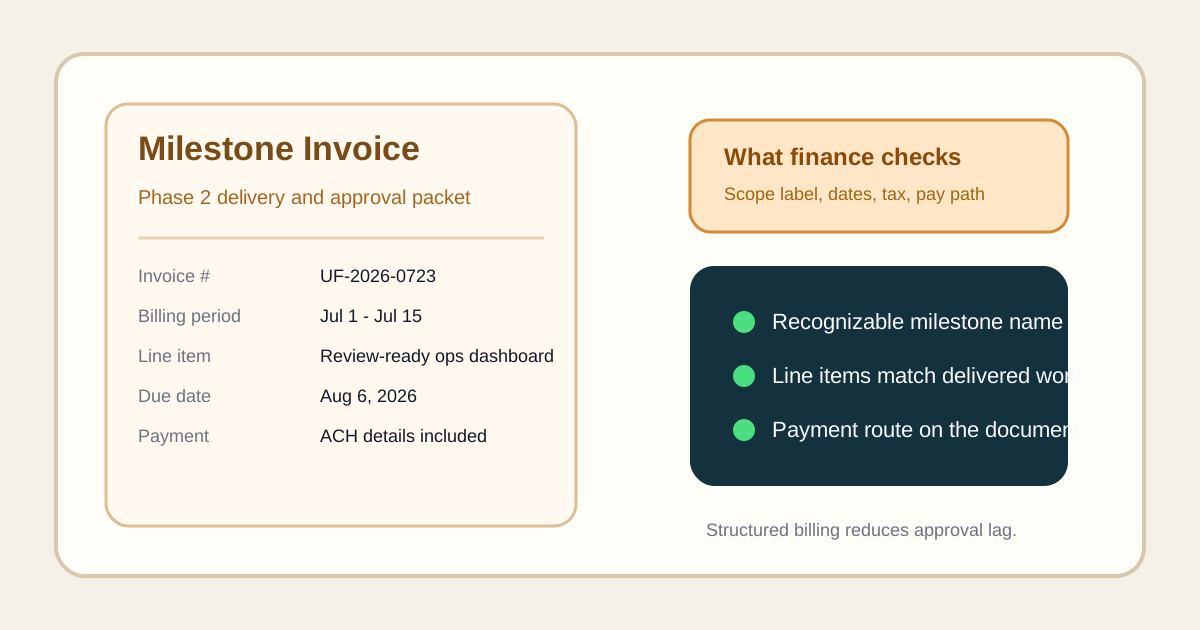
A milestone invoice often fails before anyone disputes the total. The approver cannot tell which delivery it maps to, the line items are too vague to match the statement of work, or the payment instructions are hidden in a separate email. An invoice generator helps on the technical side of the handoff because it turns the bill into a structured record instead of a loosely explained amount.
The fields that keep an invoice legible
The useful fields are usually the boring ones: invoice number, issue date, due date, client identity, milestone label, line-item descriptions, subtotal, taxes if they apply, total, and payment instructions. When one of those pieces is missing, the recipient has to reconstruct the context from old messages, which is where billing delays start.
Where milestone invoices break in real work
- A client sees one total but cannot connect it to the exact phase, sprint, or deliverable that finished.
- The billing period is implied rather than written, so finance cannot tell whether the invoice overlaps a prior payment.
- Tax treatment or currency is unclear, which creates a hold even when the work itself is already approved.
- Payment instructions live in chat instead of on the invoice, so the recipient has to ask for the missing details before they can route it.
A technical invoice check before sending
- Name the milestone in the same terms the contract, proposal, or work order already uses.
- Write line items that describe recognizable work rather than generic labels like services rendered.
- Keep the dates explicit so the invoice tells its own timing story without a separate explanation.
- Confirm the total, tax treatment, and payment instructions appear on the document the client will actually forward internally.
- Export the final invoice only after the document can stand on its own if it is forwarded outside the original email thread.
Why the invoice itself has to carry the context
Invoices get detached from their original conversation quickly. A project manager forwards the PDF to finance, finance routes it to approval, and the person paying may never have seen the delivery thread. The invoice therefore has to carry enough structure to survive outside the first inbox.
Related UtilFlow moves
If the next task is turning accepted billing work into a dated schedule, move to Calendar Maker. If you need a short acceptance checklist before invoicing, pair this with Checklist Maker so the milestone is clearly complete before the bill goes out.
FAQ
Why do milestone invoices get delayed even when the amount is correct?
Because the delay often comes from missing context such as unclear line items, missing dates, or absent payment instructions rather than from the math.
What should a milestone invoice describe most clearly?
It should clearly describe which completed phase or deliverable the bill covers, when it was issued, when it is due, and how payment should be made.
Should payment instructions live on the invoice itself?
Yes. The invoice should be able to travel through internal approval without relying on a separate chat or email for basic payment details.