Turn an Approval Runbook Into a Checkbox Sequence Before Handoff Steps Start Hiding
Use a checklist maker workflow when approvals, sends, confirmations, and archive steps already exist in prose but keep getting missed because the team is reading paragraphs instead of executing a visible sequence.
Open Checklist Maker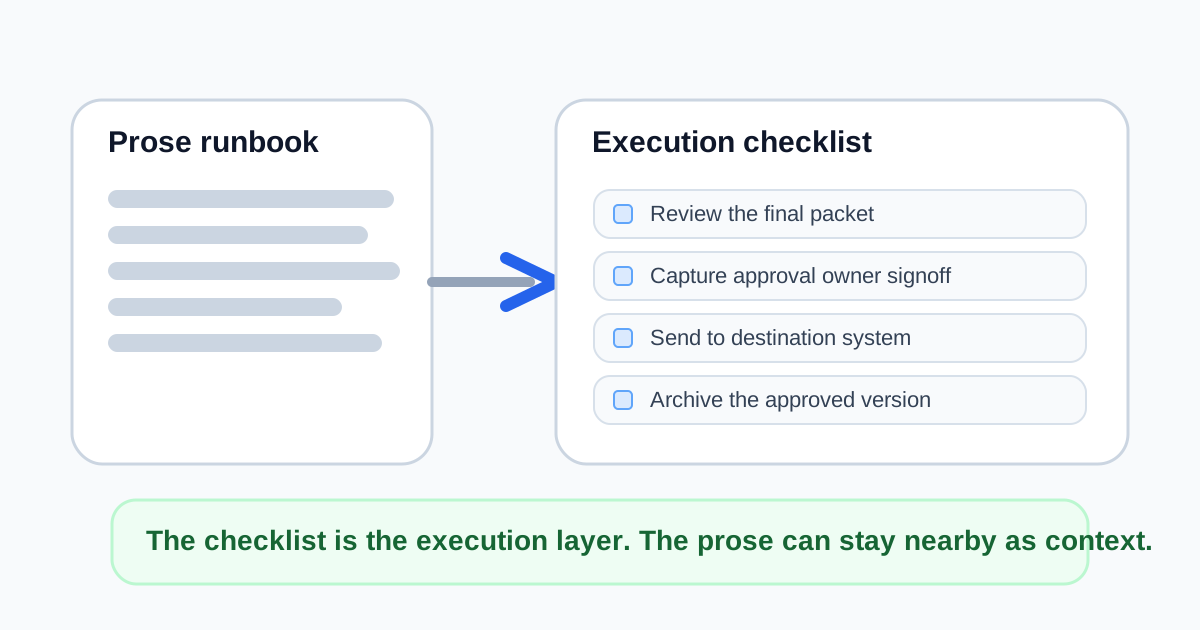
A runbook often contains the right steps and still fails as an execution tool. Review the draft, confirm the owner, send the packet, log the version, archive the signed copy, notify support. All the right actions are there, but they live inside paragraphs. The next person has to re-read the prose just to know what to do now. Turning that prose into a checkbox sequence makes the workflow operational instead of merely descriptive.
The workflow to convert prose into action
- Paste the runbook text or rough handoff notes into one working list, even if the current source mixes instructions, reminders, and context.
- Split every true action into its own line so review, approval, send, and archive steps stop hiding inside one long sentence.
- Keep reference notes outside the checkbox list unless they describe an action someone must complete.
- Order the resulting checklist the way the work actually happens, not the way the background explanation was written.
- Copy the final Markdown checklist into the operating doc, ticket, or handoff template where the team will execute it live.
When this workflow matters most
- A document or asset approval chain has several owners and each person needs a visible done-state.
- An operations runbook is too wordy for a time-sensitive execution moment.
- A recurring publishing or reporting process keeps missing the same small final steps.
- A handoff template needs to become lighter and more scannable before another team inherits it.
What to keep out of the checkbox list
Do not force every explanation into the checklist itself. References, links, escalation notes, and policy context can stay nearby. The point of the checklist is to expose the sequence of actions clearly enough that the operator can see what is done, what is next, and what is still missing.
Why Markdown is enough for many teams
A Markdown checklist travels well across docs, GitHub issues, internal notes, and lightweight runbooks. You do not need a heavier project-management system for every repeated approval flow. Often you just need a smaller, clearer execution layer on top of text that already exists.
Related UtilFlow moves
Use Text Cleaner first if the source notes arrived with duplicate bullets or extra whitespace. Use Calendar Maker afterward when the checklist items also need to become dated milestones rather than only a completion sequence.
FAQ
Why turn a runbook into a checklist if the instructions are already written?
Because a runbook explains the process while a checklist exposes the concrete actions and whether each one is done yet.
Should context notes become checkboxes too?
Only if someone must act on them. Keep pure reference material separate so the task sequence stays clear.
Where does this kind of checklist work best?
It works well in docs, tickets, handoff notes, and recurring operation templates where Markdown task lists are easy to paste and reuse.