Sort and Dedupe Copied Lines Before a Bulk Paste, Import, or Approval List Goes Sideways
Use a line-sorting workflow when a pasted list looks simple but hidden duplicates, rough ordering, or mixed casing will break the next handoff.
Open Line Sorter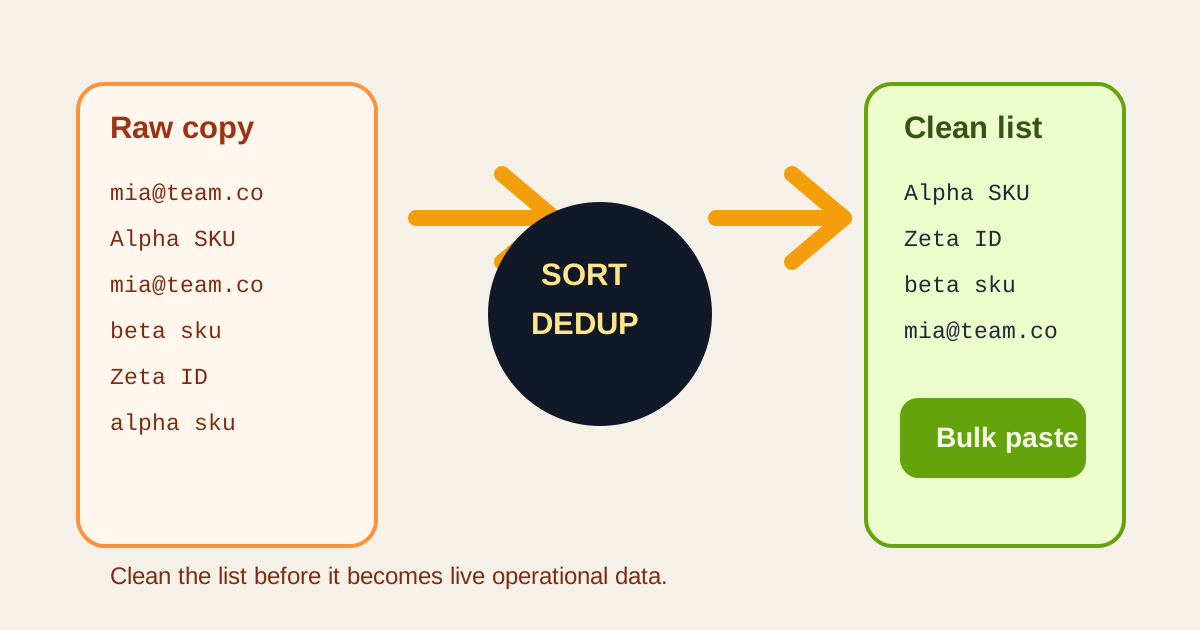
A copied list from chat, email, a CSV export, or a meeting note often looks harmless right up until the next step depends on it. The same email appears twice, one SKU is out of order, or a name hides under a different capitalization. A line sorter workflow is valuable because it cleans the list before the damage moves into a bulk paste, import field, or approval run.
A practical cleanup workflow
- Paste the raw lines exactly as they arrived so you can see the real duplication and ordering problem instead of a partially cleaned version.
- Choose the simplest operation that answers the next step: sort only, dedupe only, or sort and dedupe together.
- Scan the cleaned output once for obvious casing or whitespace variants that still represent the same item.
- Copy the final list into the sheet, import field, approval note, or checklist only after the order and uniqueness look stable.
- Keep the cleaned list as the shared reference if several people will use it in parallel instead of letting each person edit their own copy.
Where this saves time immediately
- Cleaning an email or username list before a bulk access review.
- Preparing SKUs or IDs for a spreadsheet lookup or import field.
- Sorting workshop ideas or attendees before assigning owners.
- Normalizing a pasted checklist so duplicates do not create fake progress or repeated work.
What to check after sorting
The most common leftover issue is near-duplicate text: extra spaces, mixed case, or tiny wording differences that still refer to the same person or item. The sorter gives you a clearer surface to spot those edge cases, but you still need one human pass before the data leaves your browser.
Why this is better than cleaning inside the destination app
Destination apps tend to mix cleanup with consequences. If you dedupe inside a live sheet, approval list, or admin panel, mistakes immediately affect the working copy. Sorting and deduping first creates a neutral checkpoint where you can fix the list before it becomes operational data.
Related UtilFlow moves
If the pasted lines are noisy before sorting, run Text Cleaner first. If the cleaned list needs to become a task artifact afterward, continue into Checklist Maker or Table Generator instead of pasting rough lines directly into a document.
FAQ
When should I dedupe a list before importing it?
Dedupe it before import whenever repeated lines would create repeated records, repeated outreach, or confusion during review.
Why sort the list if I only care about duplicates?
Sorting groups similar items together, which makes duplicates and near-duplicates much easier to spot before the next handoff.
What should I still check manually after sorting and deduping?
Check for near-duplicates caused by whitespace, casing, or small spelling differences that a simple line-based tool will not automatically interpret as the same item.