Move One Brand Color Between HEX, RGB, and HSL Without Losing the Tone
Use a short tutorial workflow when one trusted brand color has to travel through CSS, chart settings, slide notes, or design comments without drifting into several almost-matching versions.
Open HEX/RGB/HSL Converter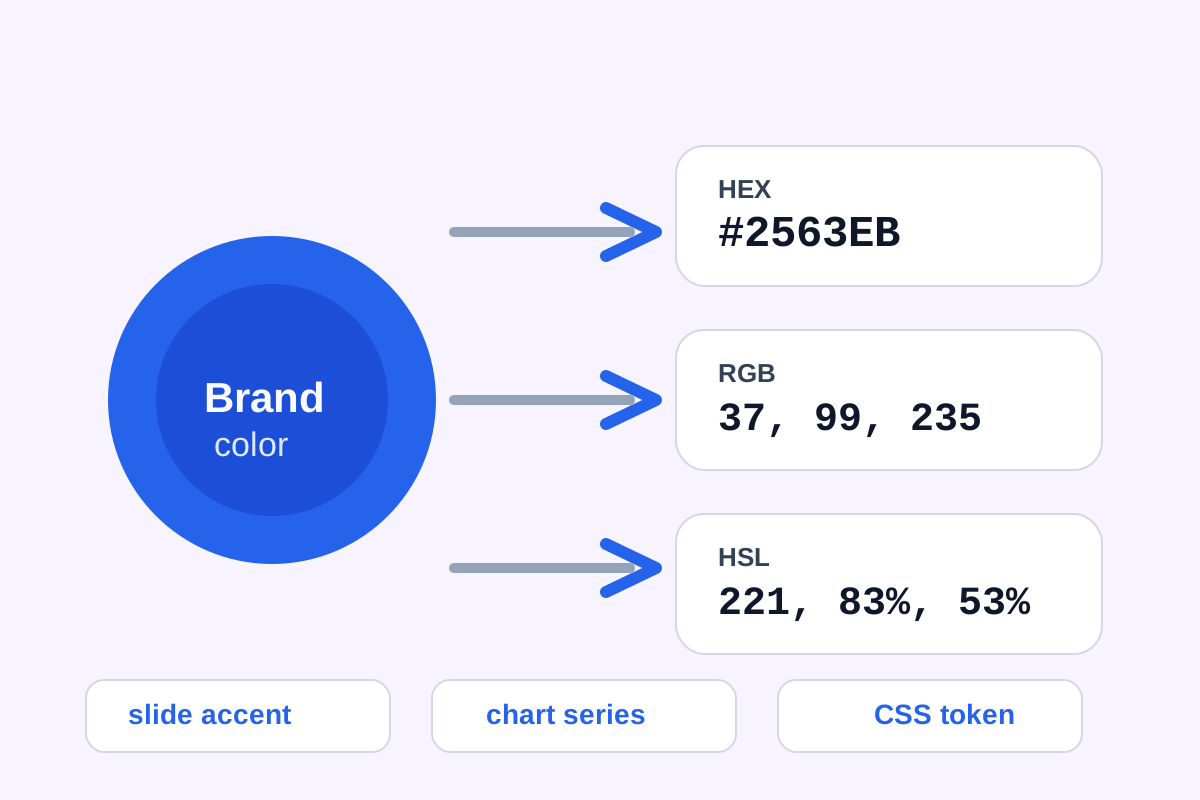
Color inconsistency rarely begins with a dramatic design change. It usually starts when one person shares a HEX value, another needs RGB for a chart config, and a third describes the same tone in HSL while adjusting lightness for a slide background. A conversion step keeps one source color coherent before those handoffs create three almost-matching blues that all claim to be the same thing.
A simple conversion tutorial
- Start with the single color value you trust most, whether that comes from a style guide, product screenshot, or existing theme token.
- Convert it into the other formats you know the next systems will require: HEX for quick copy, RGB for graphics or chart settings, and HSL when hue, saturation, or lightness adjustments are easier to reason about.
- Preview the swatch so you are checking the visible tone instead of trusting number transcription alone.
- Copy the exact format each destination needs rather than retyping values manually into slides, docs, CSS, or chart settings.
- Keep the converted set together in the handoff note so later edits still refer back to one source color instead of a chain of approximations.
Why HSL is useful even if the final system wants HEX
HSL makes reasoning easier when the real decision is whether the color needs to become lighter, darker, softer, or more intense on a background. You can inspect the relationship in HSL, then still ship the final answer as HEX or RGB if that is what the receiving tool expects.
Where this tutorial saves rework
- Slide templates that need the same accent color as the product UI.
- Chart palettes that should match brand notes instead of improvising near matches.
- Design reviews where someone asks for a lighter or darker variant but the implementation still needs a precise copyable value.
- Documentation or handoff files where mixed color formats confuse who owns the source of truth.
What to avoid
Avoid copying a color from a screenshot, then re-creating it by eye in another format. That is how small numeric drift accumulates. Convert from the trusted value once, keep the outputs together, and let the next step inherit exact numbers rather than visual guesswork.
Related UtilFlow moves
If you need to pull the original color from an image before conversion, start with Image Color Picker. If the color then needs a broader set of supporting shades, continue into Color Palette so the base tone and the surrounding system stay aligned.
FAQ
When should I use HSL instead of HEX?
Use HSL when you want to reason about hue, saturation, and lightness changes more directly, even if the final copied value will still be HEX.
Why keep HEX, RGB, and HSL versions together?
Because different tools and teammates often require different formats, and one grouped conversion set prevents the color from drifting across handoffs.
What is the safest source for a conversion?
Use the most trusted existing color value from the style guide, token set, or approved asset instead of recreating the color by eye.