Merge Several PDFs, Remove the Internal Page, Clean the File Title, and Compress Only If the Portal Still Fails
Use a chained workflow when a filing packet starts as several PDFs, still contains one internal instruction page, and needs a cleaner document title before a final size check.
Open Merge PDF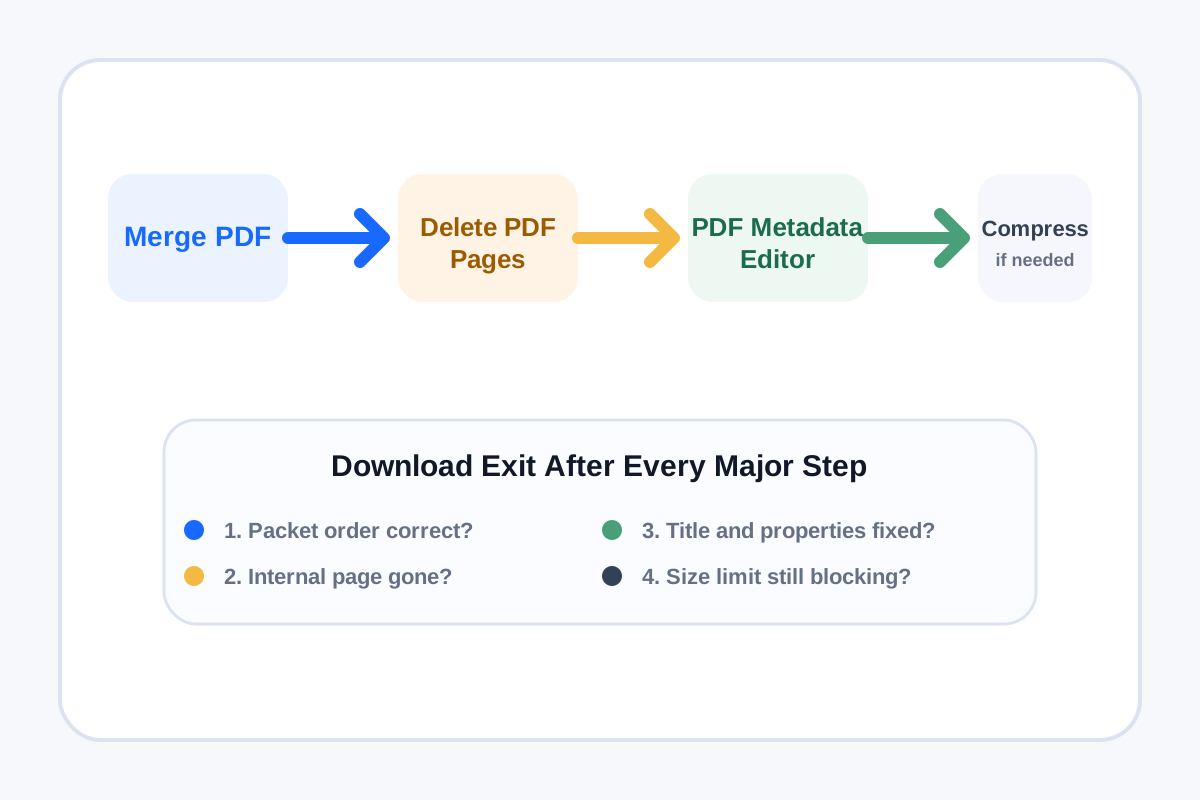
Document packets often fail for boring reasons that still cost real time. The files arrive separately, one internal routing or instruction page should not be shared, the final document title still says scan-final-final, and somebody reaches for compression before checking whether the portal even rejects the file. This chained workflow fixes the packet in the right order.
The tool order
- Start with Merge PDF to assemble the packet in the same order the recipient or portal should read it.
- Continue to Delete PDF Pages if one internal instruction sheet, duplicate scan, or blank routing page should not survive into the shared packet.
- Move to PDF Metadata Editor once the page set is final enough that the title, author, subject, or keywords should match the real document purpose.
- Use Compress PDF only if the cleaned packet still fails the destination limit after the structure and metadata are already correct.
Why remove pdf pages belongs before the metadata pass
Current July 2026 query-demand pages still show remove pdf pages as a strong action phrase for packet cleanup. That matches the workflow logic. Remove the wrong page before you label or optimize the file, because the page set defines what the document actually is.
Where compress pdf to 1mb fits
Recent compression guides and current PDF compression query demand still revolve around practical size targets such as compress pdf to 1mb. Use that thinking only at the end. If the packet already uploads successfully after merge, page cleanup, and metadata fixes, compression is unnecessary extra processing.
What to check after each step
- After Merge PDF: confirm every source file appears in the intended reading order.
- After Delete PDF Pages: confirm the internal page is gone and no needed section was removed by mistake.
- After PDF Metadata Editor: confirm the title and document properties now describe the packet accurately in search, archive, or preview views.
- After Compress PDF: confirm the packet now meets the file-size limit without making fine text or signatures harder to read.
When to stop and download
- Stop after Merge PDF if the only job was assembling one clean packet.
- Stop after Delete PDF Pages if the final packet is already the right size and no metadata cleanup is needed.
- Stop after PDF Metadata Editor if the file is structurally correct, searchable, and already accepted by the destination.
- Use Compress PDF only when the final packet still fails the portal, email, or archive limit.
Related UtilFlow moves
If the shared packet needs visible review references, branch into Add Page Numbers to PDF after page cleanup. If reviewers instead need visual page excerpts, continue into PDF to Images after structural cleanup and before any optional final compression.
FAQ
Why merge the PDFs before removing the internal page?
Because once the packet is assembled, you can remove the unwanted page in the actual final context instead of guessing which source file version will survive.
When should I edit PDF metadata in this workflow?
Edit metadata after the page set is final enough that the title and properties should describe the real packet you are sending or filing.
Which PDF trend terms were used here?
This workflow deliberately incorporates remove pdf pages and compress pdf to 1mb because both align with the real cleanup and final-size decisions users make in packet workflows.