Clean the Access Review List Before Duplicate Emails Turn One Approval Pass Into Rework
Use a line-sorting problem workflow when an access review, invite list, or approval roster looks manageable until duplicates and rough ordering create repeat work downstream.
Open Line Sorter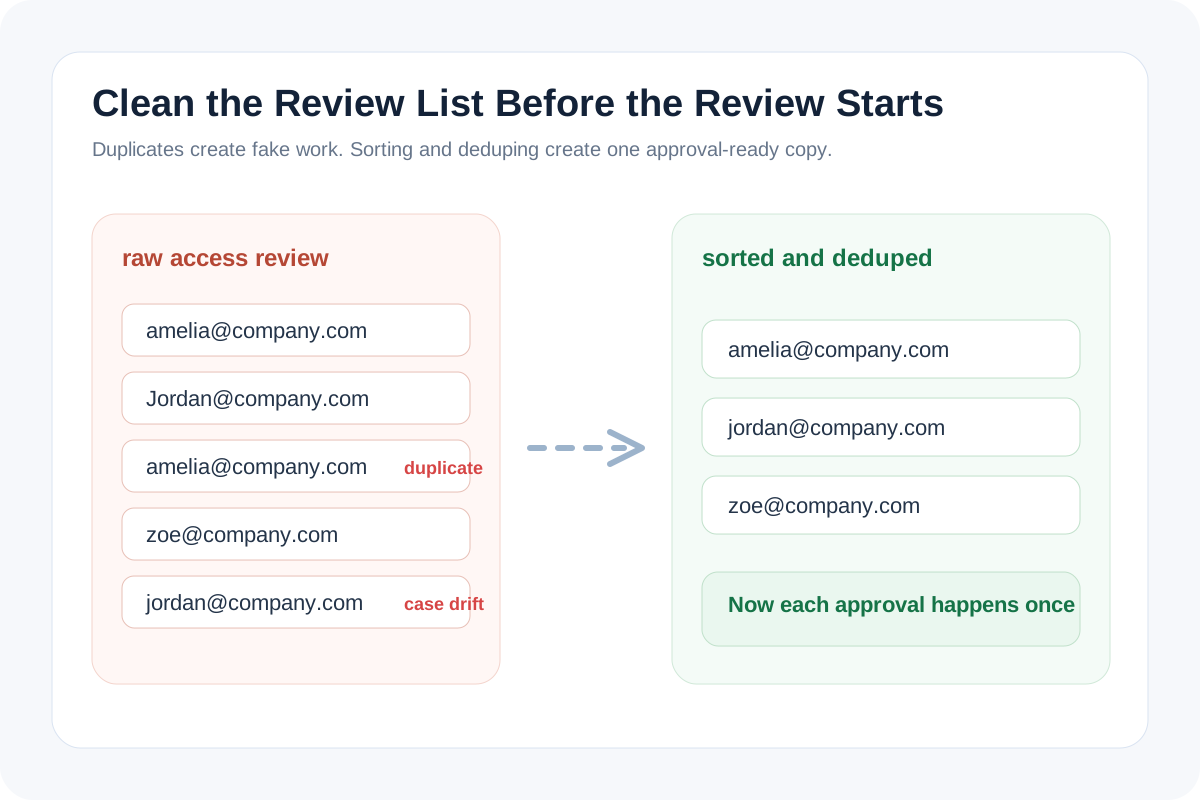
Access reviews and approval passes often inherit their mess from a copied list. The export came from several teams, the same email appears twice with different casing, and the owner doing the approval does not realize they are reviewing duplicate entries until midway through the list. The problem is not sorting for elegance. The problem is preventing fake volume, duplicate action, and avoidable follow-up before the review leaves your hands.
Why this list problem turns expensive quickly
A rough list can make the review look larger than it is, hide whether every person was actually reviewed once, and create contradictory notes when duplicates receive different decisions. By the time someone notices, the cleanup work happens after the approvals rather than before them.
Where the rough copy usually comes from
- Two exports were pasted together without a dedupe pass.
- Names or emails were collected from chat, spreadsheets, and admin tools in slightly different orders.
- A reviewer added notes inline, then another copy of the same entry survived lower in the list.
- The source app sorted one field while the handoff needed another, leaving the next reader to scan a noisy sequence manually.
A simpler way to stabilize the review list
- Paste the raw lines into one neutral cleanup step before the review starts.
- Sort and dedupe together when the goal is one authoritative list rather than several near-matching copies.
- Scan once for near-duplicates caused by casing or whitespace before sending the list onward.
- Only after the list is stable should the reviewer add approvals, statuses, or owner notes to the working copy.
What this problem is really about
This is a coordination problem disguised as a formatting problem. Sorting and deduping reduce the chance that people review the same entry twice, skip one hidden duplicate, or argue later about which copy carried the final decision.
Related UtilFlow moves
If the pasted source is noisy before the sort, run Text Cleaner first. If the cleaned result needs to become a signoff artifact, move to Checklist Maker or Table Generator so the review travels as one clearer document.
FAQ
Why dedupe an approval list before the review starts?
Because duplicate entries can create repeated work, conflicting decisions, and false confidence that more people were reviewed than actually were.
Should I sort the list if I already know the names are unique?
Yes when order affects scan speed, handoff clarity, or whether several reviewers need to reference the same authoritative sequence.
What should I still check manually after sorting and deduping?
Check for near-duplicates caused by whitespace, mixed casing, or small text differences that still refer to the same person or item.