Clean Pasted Text Before Using It in Sheets or CMS Fields
Fix extra spaces, blank lines, and repeated rows before messy pasted text creates harder problems downstream.
Open Text Cleaner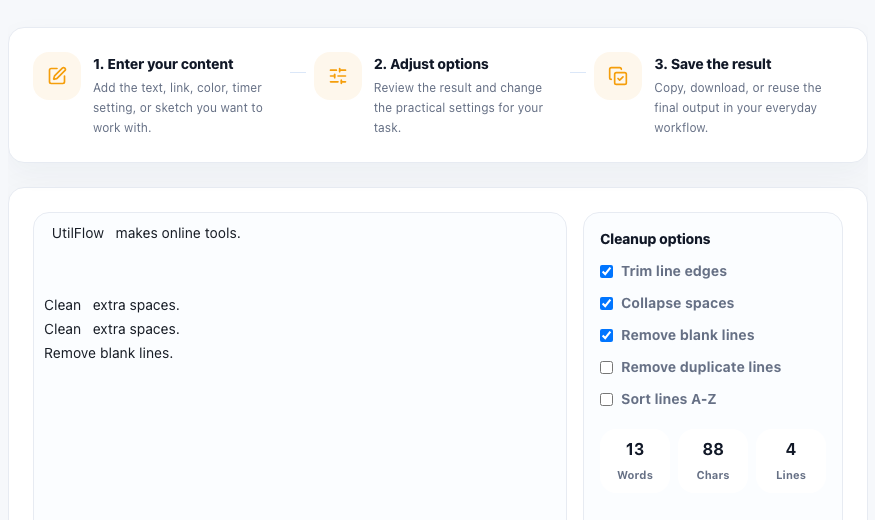
Messy text usually arrives from somewhere else: copied meeting notes, spreadsheet exports, email threads, AI output, support logs, or website content pasted with inconsistent spacing. The visible problem looks small, but once that text enters a sheet, CMS, or import field, the cleanup becomes slower and easier to miss.
The real problem with messy pasted text
Extra spaces, duplicate lines, and uneven line breaks do not just make text ugly. They can create false duplicates in a list, break sorting, widen spreadsheet cells, create awkward CMS previews, and force manual cleanup after the content has already been mixed with other work.
Where this shows up most often
- Pasting names, SKUs, or keywords into spreadsheet columns.
- Cleaning article snippets or summaries before a CMS import.
- Normalizing copied support notes before sharing them in a ticket.
- Removing repeated lines from prompt output or log excerpts.
- Tidying checklist text before turning it into a table or task list.
A safer cleanup flow
- Paste the raw text first and decide whether the main issue is spacing, blank lines, duplicates, or sort order.
- Trim line edges and collapse repeated spaces when the text came from copy and paste or OCR-like sources.
- Remove blank lines when the destination expects one value per line or one paragraph per field.
- Remove duplicate lines only after checking whether repeated entries were intentional.
- Copy the cleaned result and paste it into the real destination once the structure is stable.
Why this is better before the next step
A text cleaner is most valuable before the content enters another system. Once the same messy block has been distributed into multiple columns, CMS fields, or tickets, every follow-up edit costs more than one quick cleanup would have cost at the start.
FAQ
When should I remove duplicate lines?
Remove duplicates when repeated lines are accidental, such as copied names, tags, or notes that should only appear once. Keep them when repetition carries meaning.
Should I sort lines while cleaning text?
Sort only when order does not matter or when alphabetical order makes review easier. If the original sequence carries meaning, clean first and sort later only if needed.
Why not just clean the text after pasting it into a spreadsheet or CMS?
You can, but cleanup is usually slower there because the bad formatting has already mixed with layout, field boundaries, or other edited content.