Clean a Pasted Attendee or SKU List Before Hidden Spaces and Duplicates Break the Import
Use a text cleaner when copied rows look harmless in chat or a spreadsheet but hidden spacing, blank lines, and duplicate entries are about to cause a noisy import or approval pass.
Open Text Cleaner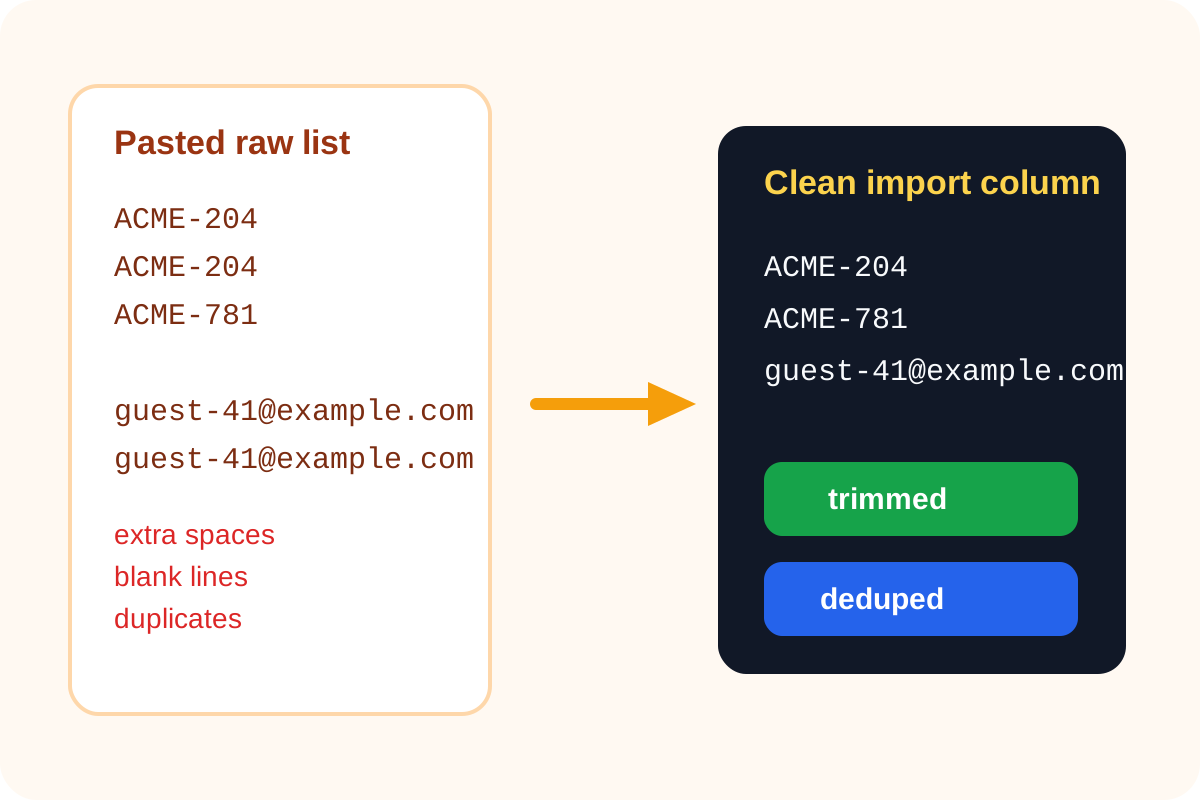
List problems rarely look dramatic. They arrive as a copied attendee export, a supplier SKU column from email, or a pasted approval roster from chat. The text looks almost fine until the import creates duplicates, the matching logic misses entries with stray spaces, or a reviewer asks why several lines are blank. A text cleaner solves the small structural mess before it spreads into the destination system.
The kinds of list damage that waste time
- A copied column includes trailing spaces, so two values that look identical stop matching exactly.
- Blank lines create false empty records in a bulk paste or make row counts look wrong.
- The same attendee, SKU, or tag appears more than once after several people merged lists by hand.
- Inconsistent spacing makes the cleaned result harder to scan before approval.
Why fixing it early matters
Once the messy list has been imported, every downstream cleanup costs more. Someone has to identify which row was duplicated, which field failed to match, or which blank row became a real object. A quick cleanup before the paste is cheaper than debugging the receiving system after the fact.
A practical cleanup sequence
- Paste the raw list exactly as it was copied so you can see the real spacing and line structure.
- Trim extra spaces first so visually identical rows become truly identical.
- Remove blank lines so the row count reflects real entries only.
- Remove duplicate lines if the destination expects one unique value per row.
- Copy the cleaned result into the spreadsheet, form, or import field only after the final list looks stable.
Where this shows up in real work
- Event operations cleaning attendee emails before a bulk invite or badge export.
- Procurement or catalog work normalizing SKU lists before matching supplier data.
- Content or support teams cleaning tag lists before a bulk edit.
- Internal approvals turning copied names from chat into one reliable checklist or owner column.
Related UtilFlow moves
If the next question is ordering rather than cleanup, continue to Line Sorter. If the cleaned rows need to become a task handoff, move into Checklist Maker after the text structure is stable.
FAQ
Why do extra spaces cause import problems if the text looks the same?
Because systems often compare the raw characters exactly, and hidden leading or trailing spaces make two values different even when they look identical on screen.
Should I remove duplicates before or after trimming spaces?
Trim spaces first so duplicates that only differ by stray whitespace collapse into the same exact value.
When is a text cleaner better than fixing the list in a spreadsheet?
It is better when the main problem is raw text structure and you want a fast cleanup pass before the content enters the spreadsheet or import flow at all.