Why MB, MiB, and Upload Limits Disagree Before the File Even Fails
Use a byte converter when a file looks small enough in one place but still misses a storage quota, API cap, email attachment rule, or dashboard limit measured in another unit system.
Open Byte Converter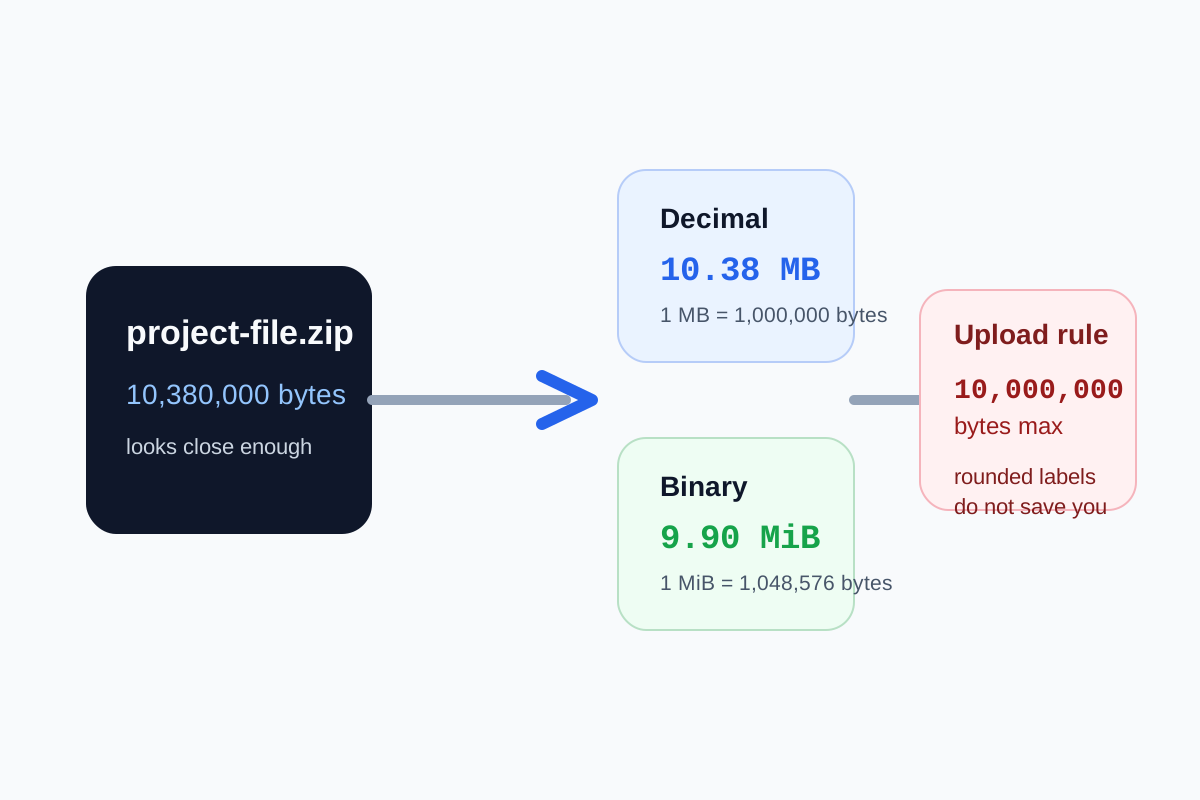
File-size confusion often looks like a platform bug at first. A dashboard says the upload limit is 10 MB, your operating system reports a file around that size, and the form still rejects it. The disagreement is frequently unit math rather than broken software. Different systems may mean decimal megabytes, binary mebibytes, raw bytes, or rounded display values that are close enough for humans and not close enough for validation logic.
The technical difference that causes the mismatch
Decimal file labels usually count by powers of 1000: 1 KB equals 1000 bytes and 1 MB equals 1,000,000 bytes. Binary storage labels count by powers of 1024: 1 KiB equals 1024 bytes and 1 MiB equals 1,048,576 bytes. Those systems stay near each other at small sizes, then diverge enough to matter when an upload rule is strict.
Where the mismatch matters in practice
- Portal uploads that enforce an exact byte ceiling even when the UI rounds the displayed size.
- API payload or attachment limits documented in MB while local tools display MiB or rounded decimals.
- Cloud storage or disk-space conversations where one teammate cites what Finder or Explorer shows and another cites raw bytes from a script.
- Compression decisions where you need to know how far over the real limit the file actually is before changing quality settings.
A reliable technical check
- Start from the raw limit or the clearest unit label the destination provides.
- Convert the file size and the stated limit into the same unit system before deciding whether the file truly fits.
- Leave margin instead of targeting the exact displayed threshold, because rounding can hide a small overage.
- Only after the unit math is clear should you decide whether to compress, resize, split, or leave the file alone.
Why rounding makes this feel random
A file shown as 9.9 MB may already be over a hard byte cap once the display rounds to one decimal place. That is why the human-friendly number can feel inconsistent with the validator. The rule engine is usually checking exact bytes while you are reading an approximate label.
Related UtilFlow moves
If the next step is reducing an image or PDF to fit a real limit, move into Image Compressor or Compress PDF after you know how much size actually needs to come off. If the file is not too large but still fails, the next question may be file type rather than file size.
FAQ
What is the difference between MB and MiB?
MB is usually decimal and based on 1000-byte steps, while MiB is binary and based on 1024-byte steps.
Why can a file under the displayed limit still fail upload?
Because the displayed number may be rounded while the actual validator checks exact raw bytes or a different unit system.
Should I aim exactly at the size limit?
It is safer to leave margin below the stated limit so rounding or metadata overhead does not create a last-step failure.