Resize Review Images, Add a Draft Watermark, and Run a JPG to PDF Packet Only When the Set Is Ready
Use a chained image-to-PDF workflow when screenshots or photos first need a cleaner size and a visible draft mark before they should become one review packet.
Open Images to PDF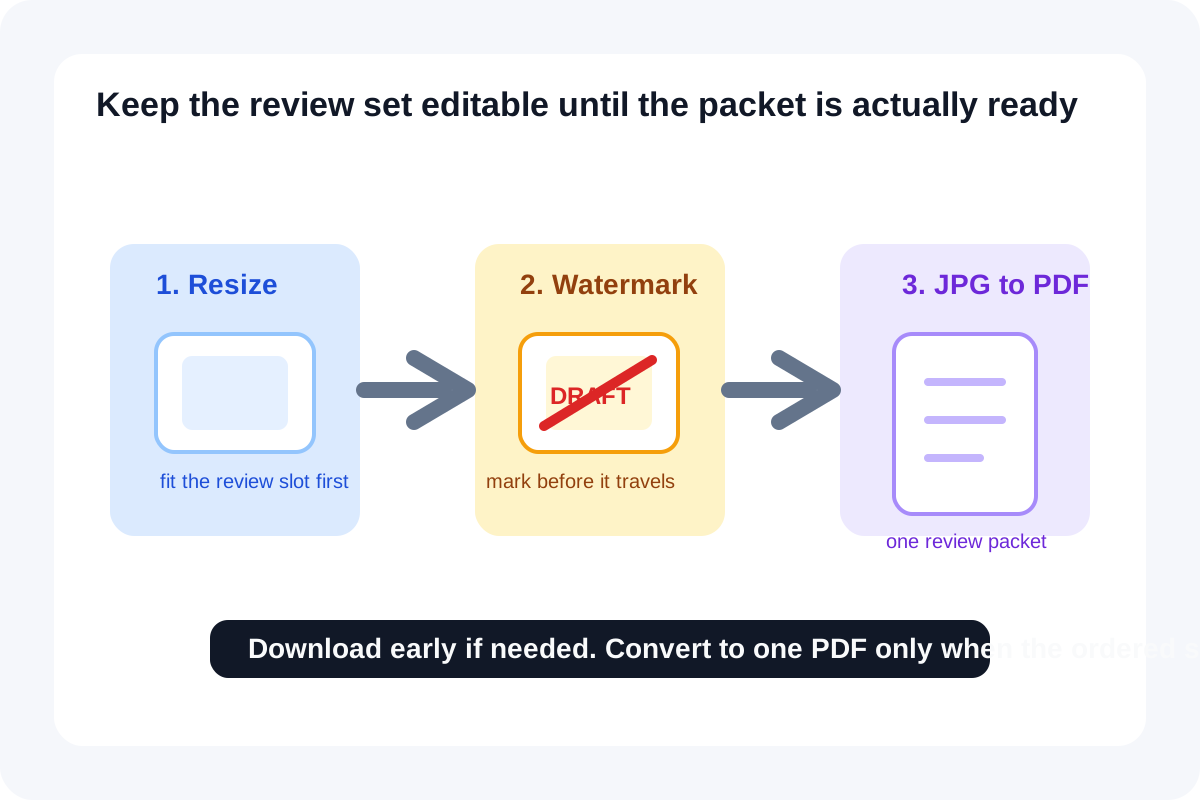
Review packets often start as a loose set of screenshots, product photos, or annotated captures that are still too large, still too final-looking, and not yet organized into one file. That is why a small image-first chain works well here. Resize first for the slot you actually need. Add a visible draft mark before the images start traveling like finals. Then run the JPG to PDF or image to PDF step only when the set is actually ready to become one document.
The tool order
- Start with Image Resizer so each screenshot or photo fits the review slot you expect in docs, email, chat, or the final packet.
- Move to Add Watermark to Image once the dimensions are stable and the files need a visible Draft, Review, or Internal marker.
- Finish with Images to PDF only after the marked image set is ready to travel as one review packet.
- Download after any step if the current output already matches the next handoff and there is no reason to force a PDF yet.
When to stop and download
- Stop after Image Resizer if the immediate need is a smaller screenshot or photo for chat, a ticket, or a doc slot.
- Stop after Add Watermark to Image if reviewers need the marked images individually rather than as one packet.
- Continue into Images to PDF only when the ordered set should be consumed as one shareable review file.
What to check after each step
- After Image Resizer: confirm text and interface details remain readable at the target width.
- After Add Watermark to Image: confirm the mark is visible enough to prevent misuse but not so heavy that it blocks the content under review.
- After Images to PDF: confirm the page sequence matches the review story and that each page still reads clearly in PDF form.
Why JPG to PDF and image to PDF keep showing up in search demand
OpenFormat's summary of Google Trends signals shows that overall PDF search interest continues to rise, and a PDF conversion guide that explicitly references Google Trends demand highlights JPG to PDF, image to PDF, PDF to JPG, and PDF to PNG as the task clusters users repeatedly search for. I am inferring from those signals that conversion intent keeps concentrating around practical packet-building and page-image workflows, which is exactly what this chain solves.
Related UtilFlow moves
If the finished packet still needs stable reviewer references, add Add Page Numbers to PDF after the image to PDF step. If delivery fails only because of file size, compress the final PDF last rather than shrinking the images blindly at the start.
FAQ
Why resize before adding the watermark?
Because watermark placement and scale make more sense after the image dimensions are already close to the real review destination.
When should I run the JPG to PDF or image to PDF step?
Run it only when the image set is ready to behave like one packet. Until then, keeping the files as images is usually more flexible.
What if the final PDF is still too large?
Treat compression as a final delivery step after the resize, watermark, and packet order are already correct.