Resize Phone Photos, Run a JPG to PDF Workflow, Add Page Numbers, and Fix the File Title Before Archive Upload
Use a chained workflow when phone photos need to become one cleaner archive packet: resize first, convert the image set with a JPG to PDF or image to PDF step, add page references, and correct the PDF title before the file leaves your hands.
Open Images to PDF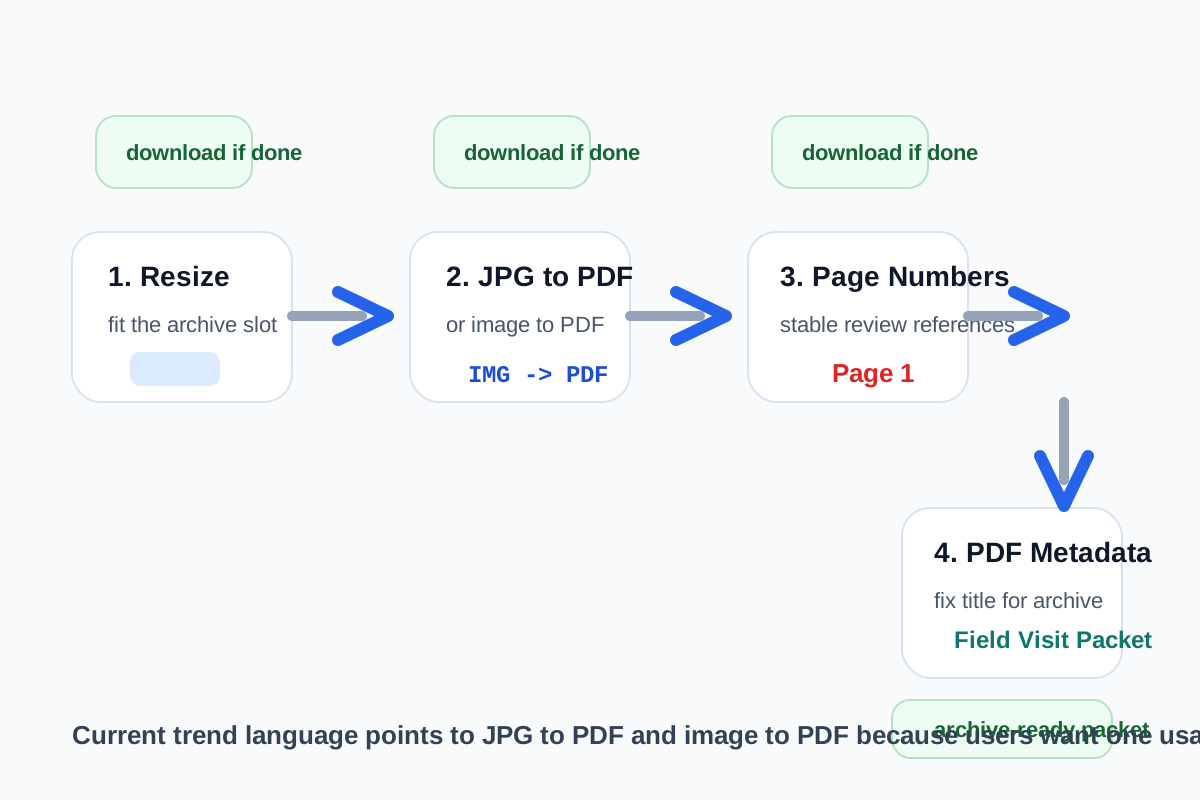
A lot of archive and portal packets begin as phone photos. They are readable enough, but they are too large, too loose, and too anonymous to circulate well. A cleaner chain starts by sizing the photos for their real destination, then runs the packaging step people search for as jpg to pdf or image to pdf, adds page numbers for human reference, and finishes by fixing the PDF title so the final file can still be identified later in a search result or download tray.
The tool order
- Start with Image Resizer when the phone photos are much larger than the archive, portal, or records system needs.
- Continue to Images to PDF for the practical jpg to pdf or image to pdf step once the images are readable and in the right order.
- Move to Add Page Numbers to PDF when the packet will be reviewed, cited, or corrected by another person.
- Finish with PDF Metadata when the file title, author, or subject still needs to match the archive naming scheme before upload.
When to stop and download
- Stop after Image Resizer if the destination accepts separate images and the only real problem was oversized photos.
- Stop after the image to PDF step if one combined file is enough and no reviewer needs page references.
- Stop after Add Page Numbers to PDF if the packet is correct for review and the visible filename already matches the destination.
- Finish with PDF Metadata only when archive search, preview cards, or download trays still need a clearer embedded title or author field.
What to check after each step
- After Image Resizer: confirm the smallest text, signatures, or evidence details still read clearly at the new dimensions.
- After the jpg to pdf step: confirm page order, orientation, and whether the combined packet is actually easier to upload than the loose image set.
- After Add Page Numbers to PDF: confirm the numbers stay visible without covering stamps, signatures, or receipts.
- After PDF Metadata: reopen the file and verify that the embedded title now matches the archive or portal naming logic you expect people to search later.
Why the current query language matters
The closest available trend signals around jpg to pdf and image to pdf show growing demand for packaging image sets into one document. That matches the real user problem here: not generic PDF theory, but one practical handoff workflow that starts with phone images and ends with a file another system can store, review, and find again later.
Related UtilFlow moves
If the images need cropping before any packaging happens, insert Image Cropper before the resize step. If the final packet still fails an upload-size rule after all of this, continue to Compress PDF last instead of shrinking the source images blindly at the start.
FAQ
Why resize photos before a JPG to PDF step?
Because dimensions are often the first mismatch. Resizing removes unnecessary canvas before the images become one combined document.
When should I use image to PDF and when should I stop earlier?
Use it when one combined packet is easier to upload, archive, or review than several loose images. Stop earlier if the destination still wants separate image files.
Why fix PDF metadata after adding page numbers?
Because once the packet structure is final, the embedded title and related fields can be aligned to the exact file that will actually be uploaded or archived.