How to Use Line Chart in a Practical Online Workflow
Create line trend charts. Learn when this tool is useful, what problems it solves, and how to fit it into a practical online workflow.
Open Line Chart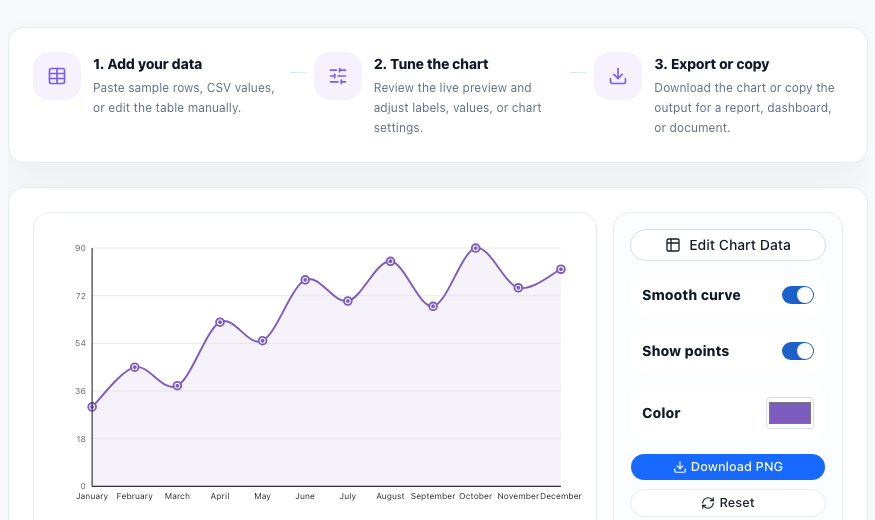
Line Chart is useful when you are turning CSV data into a quick visual and need a fast way to handle the task without switching into a heavier workflow. Create a line chart from CSV data to show trends over time, changes across ordered categories, or continuous values. Toggle smooth curves, show points, choose a color, and export the result.
The real problem this helps solve
Chart work often starts with messy tabular data, unclear labels, or a need to preview a visual before creating a polished report.
For line Chart tasks, the important part is not only running the tool. The useful result is a cleaner output that can be used in a report, document, codebase, upload form, message, or review process without creating extra manual work.
A practical workflow
- Add your data: Paste sample rows, CSV values, or edit the table manually.
- Tune the chart: Review the live preview and adjust labels, values, or chart settings.
- Export or copy: Download the chart or copy the output for a report, dashboard, or document.
Technical notes
Browser chart tools parse structured rows into labels and numeric values, then render the result as a visual model that makes patterns easier to compare than raw tables.
Line charts are best for time series, trend analysis, traffic changes, revenue movement, sensor readings, and any ordered data where direction matters.
Searches this guide helps answer
- line chart maker
- create line graph
- line graph from data
- trend chart maker
Related workflow ideas
This task often connects with Bar Chart Maker, CSV Chart Maker, Scatter Plot, Stream Graph. Use them together when the job needs more than one cleanup, conversion, validation, or export step.
FAQ
When should I use Line Chart?
Use Line Chart when you need to create line trend charts. It works best when you want a quick online workflow with clear input and output.
What should I check before copying the result?
Check that the input is complete, the selected options match your goal, and the output includes the labels, formatting, or file structure needed for the next step.
Can Line Chart be part of a larger workflow?
Yes. Many users combine it with related UtilFlow tools when they need to clean, convert, validate, compress, extract, or prepare content before sharing it.