Convert Minutes, Hours, and Days Before an Estimate or SLA Drifts
Use a time converter when one person speaks in minutes, another writes hours, and the real risk is quoting or committing to the same duration in mismatched units.
Open Time Converter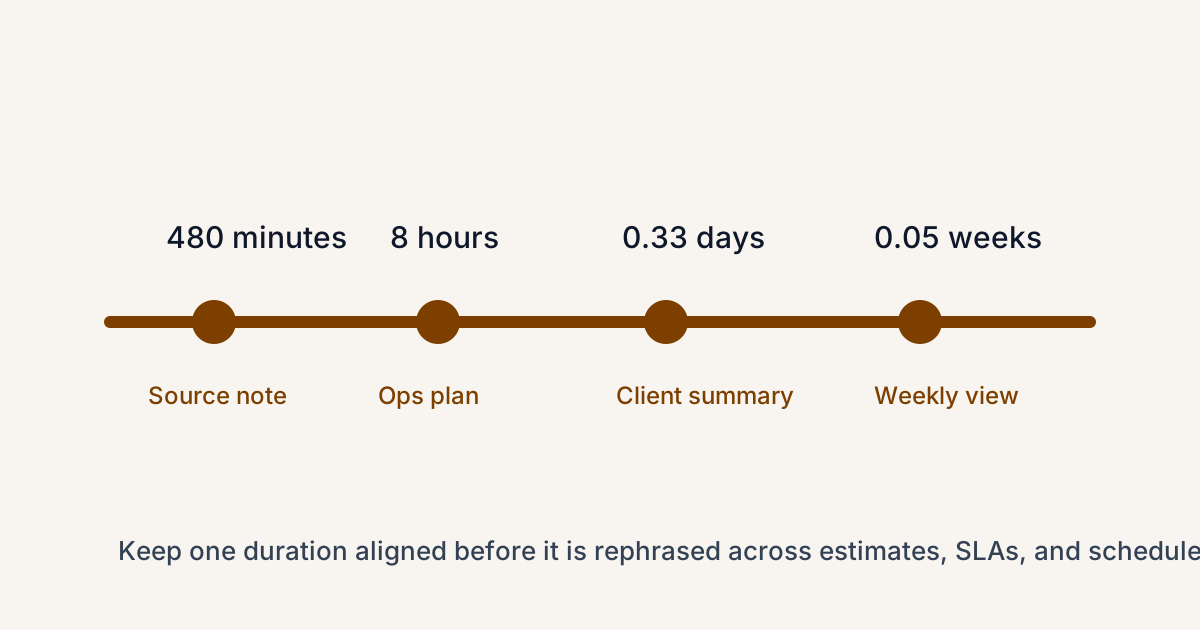
Time-unit mistakes look small until they spread. A support note promises a response in hours, a planning sheet summarizes the same window in days, and a task estimate gets copied again in minutes for scheduling. Nobody is trying to mislead anyone. The problem is that the same duration keeps being restated without one stable conversion check in the middle.
Where duration drift happens
- Project estimates summarized differently for engineers, managers, and clients.
- SLA or response windows copied between internal notes and customer-facing commitments.
- Shift plans, class blocks, or production windows that alternate between hours and days.
- Personal planning where one calendar entry, checklist, and status update all describe the same duration differently.
Why this causes unnecessary friction
Duration language feels intuitive, so people stop checking it. That is exactly how a careful eight-hour window becomes 'about a day' in one place and '480 minutes' somewhere else without anyone confirming whether the context still matches.
A practical check before you quote the number
- Start with the duration in the unit used by the source commitment or plan.
- Convert into the unit required by the audience or destination document.
- Write the final value with the unit label every time so the number is not left floating on its own.
- If the converted result changes how the estimate sounds, keep the original nearby so nobody assumes the duration itself changed.
The real benefit is alignment
A time converter is not just arithmetic convenience. It keeps one commitment consistent as it moves across schedules, summaries, and handoffs. That matters more than mental-math speed when several people depend on the same window meaning the same thing everywhere.
Related UtilFlow moves
If the timeline depends on actual dates instead of pure duration, switch to Date Calculator next. If the problem is match kickoff across regions rather than simple unit conversion, use Schedule Converter instead.
FAQ
Why convert time units before sharing an estimate?
Because one duration can be described in several valid ways, and the risk is that the label changes while people assume the commitment stayed obvious.
Should I keep the original unit beside the converted one?
Yes when the value moves through several documents or audiences, because it preserves the source meaning and reduces misunderstanding.
When is a time converter most useful?
It is most useful for estimates, response windows, schedules, shift notes, class plans, and any workflow where durations keep being restated in new units.