Clean PDF Pages: Extract, Reorder, Number, and Compress a Packet Before Upload
Use a chained PDF workflow when one packet needs multiple cleanup steps and the fastest route is to keep moving from page extraction to order cleanup, numbering, and compression without restarting the job in separate tools.
Open Extract PDF Pages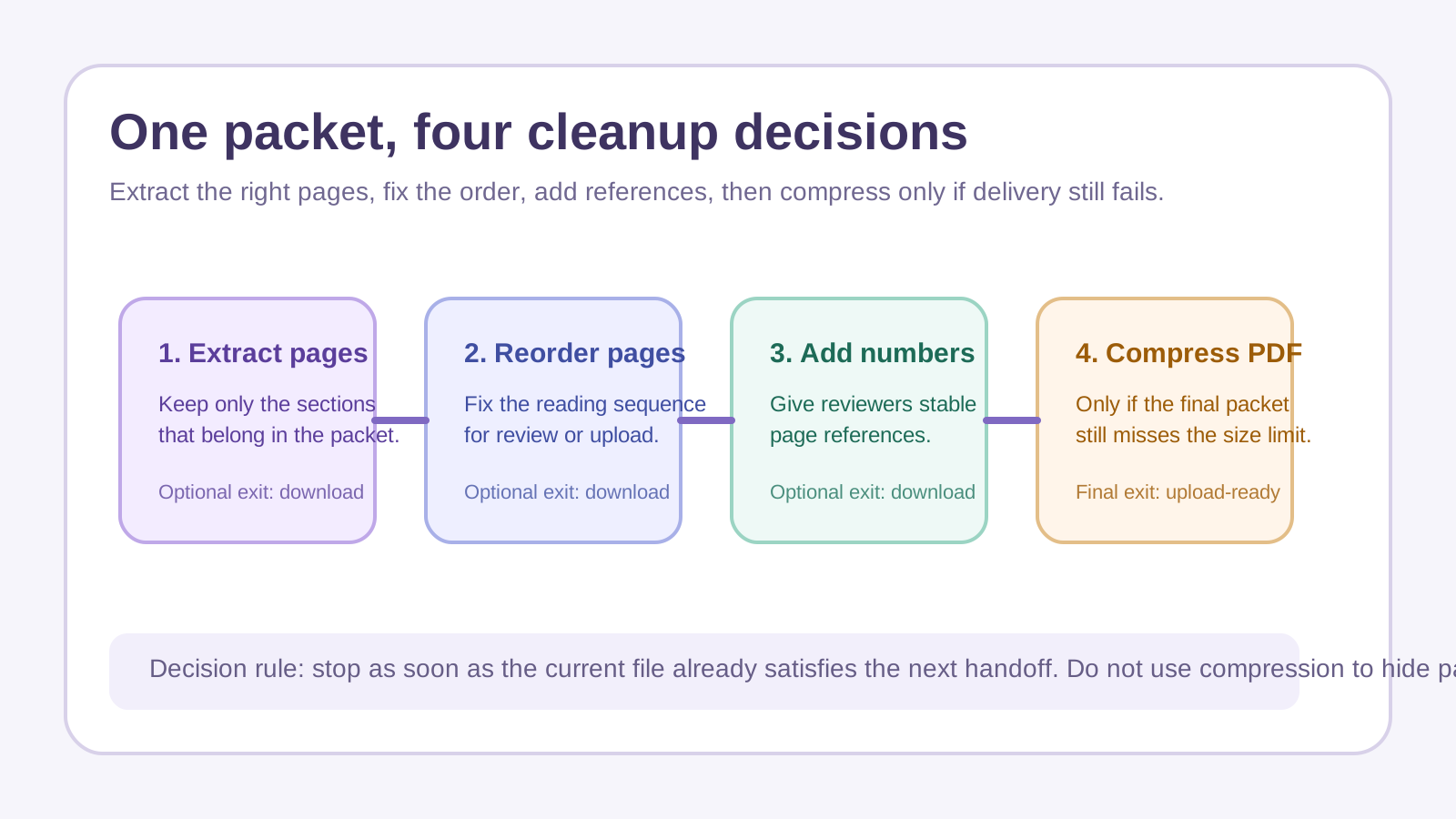
A board packet, permit packet, or client submission often fails for ordinary reasons: it includes too many pages, the order drifted during assembly, the reviewer needs page references, or the final file is still too heavy for the portal. This is exactly the kind of multi-step PDF workflow where broad search language like pdf pages and compress pdf describes a real task, not just generic SEO phrasing.
The tool order
- Start with Extract PDF Pages when the packet contains appendices, covers, scans, or exhibits that should not travel in the final file.
- Continue to Reorder PDF Pages when the remaining pages are correct but the packet sequence still does not match the expected reading order.
- Move to Add Page Numbers to PDF when another person will review, cite, or correct the packet and needs stable references.
- Finish with Compress PDF only if the cleaned document still exceeds the upload or sharing limit after the page structure is already correct.
When to stop and download
- Stop after extraction if the problem was simply that the wrong sections were included.
- Stop after reorder if the packet is now complete and nobody needs visible page references.
- Stop after page numbering if review clarity matters more than size reduction and the file already uploads cleanly.
- Use compress pdf only when the content and order are final and the last blocker is file size.
What to check after each step
- After Extract PDF Pages: confirm that every required section survived and that no hidden appendix pages were left behind.
- After Reorder PDF Pages: skim the packet in reading order and check that attachments or signatures still appear where the recipient expects them.
- After Add Page Numbers to PDF: confirm the numbers are visible, sequential, and not covering seals, signatures, or footnotes.
- After Compress PDF: reopen the final file and verify readability, page order, and successful upload before deleting the earlier copy.
Related UtilFlow moves
If the packet first needs orientation fixes, insert Rotate PDF before the reorder step. If the issue is not the packet structure but the embedded document title that appears in previews or archive results, continue to PDF Metadata after the main cleanup is done.
FAQ
Why not compress the packet first?
Because compression is usually the last fix, not the first. If the wrong pages or wrong order remain, a smaller file is still the wrong file.
What does this workflow solve better than one big all-in-one edit?
It keeps each decision clear: first keep the right pages, then put them in the right order, then add references, then reduce size only if that final copy still needs it.
Where do pdf pages and compress pdf fit naturally in this workflow?
PDF pages is the inspection and cleanup side of the job, while compress pdf is the final delivery step when the packet is already structurally correct.