Why Live Markdown Preview Catches Structure Problems Before a README, PR, or CMS Draft
A live markdown editor is not just for writing faster. It makes structure visible before bullets, headings, links, code fences, and lists break in the place where the content actually has to land.
Open Markdown Editor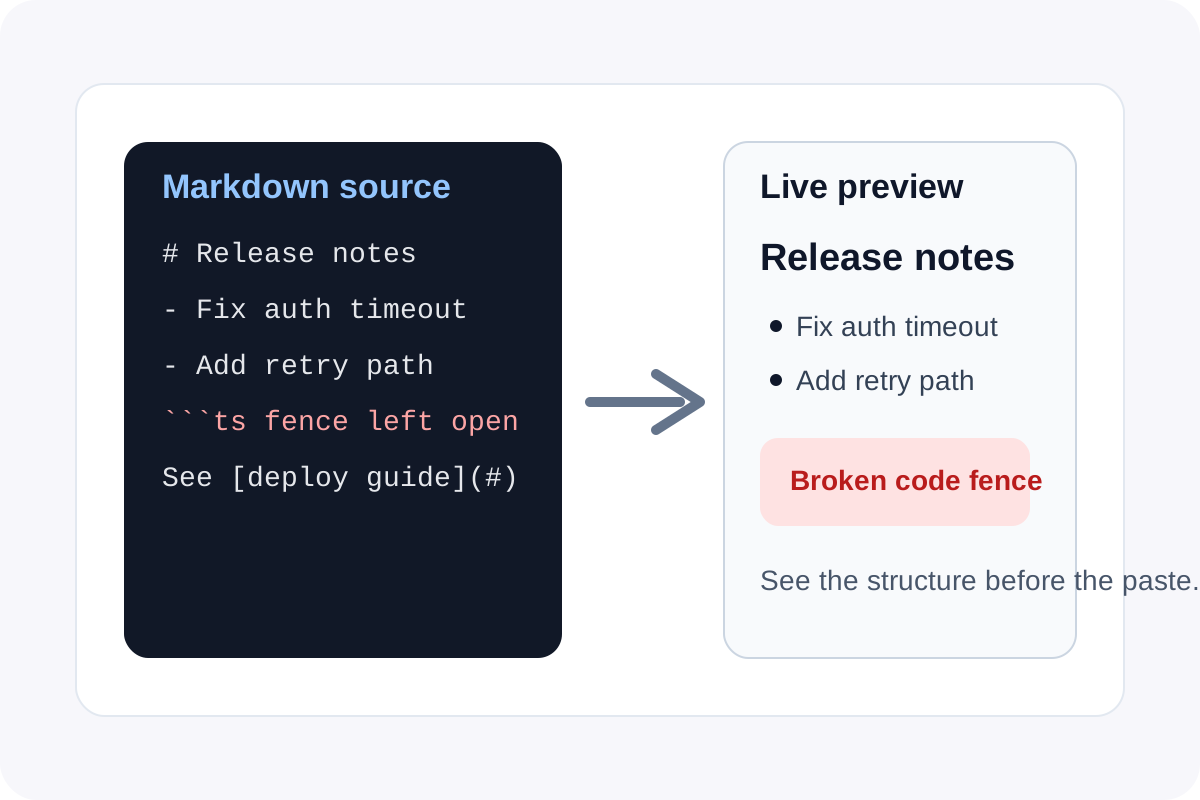
Markdown errors are usually structural, not literary. The sentence may be fine, but the heading depth is wrong, the list nesting collapses, the code fence leaks into the rest of the note, or the link formatting breaks right where someone else needs to read it. A live markdown editor helps because it shows the rendered structure while you still have time to fix it.
What preview reveals immediately
- Whether headings create the hierarchy you intended instead of one long flat wall of text.
- Whether bullets, numbered lists, and checklists render as separate items or collapse into plain paragraphs.
- Whether code fences begin and end exactly where you think they do.
- Whether links, emphasis, and inline code survive copy edits without breaking the surrounding sentence.
Why this matters before a handoff
README files, pull request notes, CMS drafts, and help-center articles all punish invisible formatting mistakes differently. One surface may flatten spacing, another may interpret a pasted code block literally, and another may strip unsupported markdown. Preview makes the shape obvious before the text leaves your scratchpad.
A technical writing loop that stays small
- Draft the content in markdown rather than plain text so headings, examples, and lists are explicit from the start.
- Watch the preview while you edit instead of waiting until after the paste into GitHub, a CMS, or a docs tool.
- Fix structure while the block is still small and local rather than debugging a long rendered page later.
- Copy the markdown only when the preview already matches the reading experience you want.
The real gain is lower rework
Live preview does not make the words smarter. It makes formatting failures cheaper. That is a technical advantage because it turns markup mistakes into immediate feedback rather than review comments, broken docs pages, or a second paste-cleanup pass after publication.
Related UtilFlow moves
Use Markdown to HTML when the next destination needs rendered HTML rather than markdown source. If the draft started as copied web content, use HTML to Markdown first so the structure is cleaner before you begin editing.
FAQ
Why is live markdown preview better than reading the raw markdown alone?
Because it shows the final structure, which makes broken lists, heading depth mistakes, and code fence errors obvious immediately.
What kind of markdown issue shows up most often in preview?
List formatting and code fence boundaries are common because they can look close to correct in raw text while rendering incorrectly.
When should I preview markdown before pasting it elsewhere?
Preview it whenever the next step is a README, PR note, CMS draft, or help-center article where structure matters as much as wording.