Why a PDF Compressor Helps Clean Reports More Than Messy Scans
Understand the technical difference between structure-heavy PDFs and image-heavy scans before you try to compress PDF files for upload or handoff.
Open Compress PDF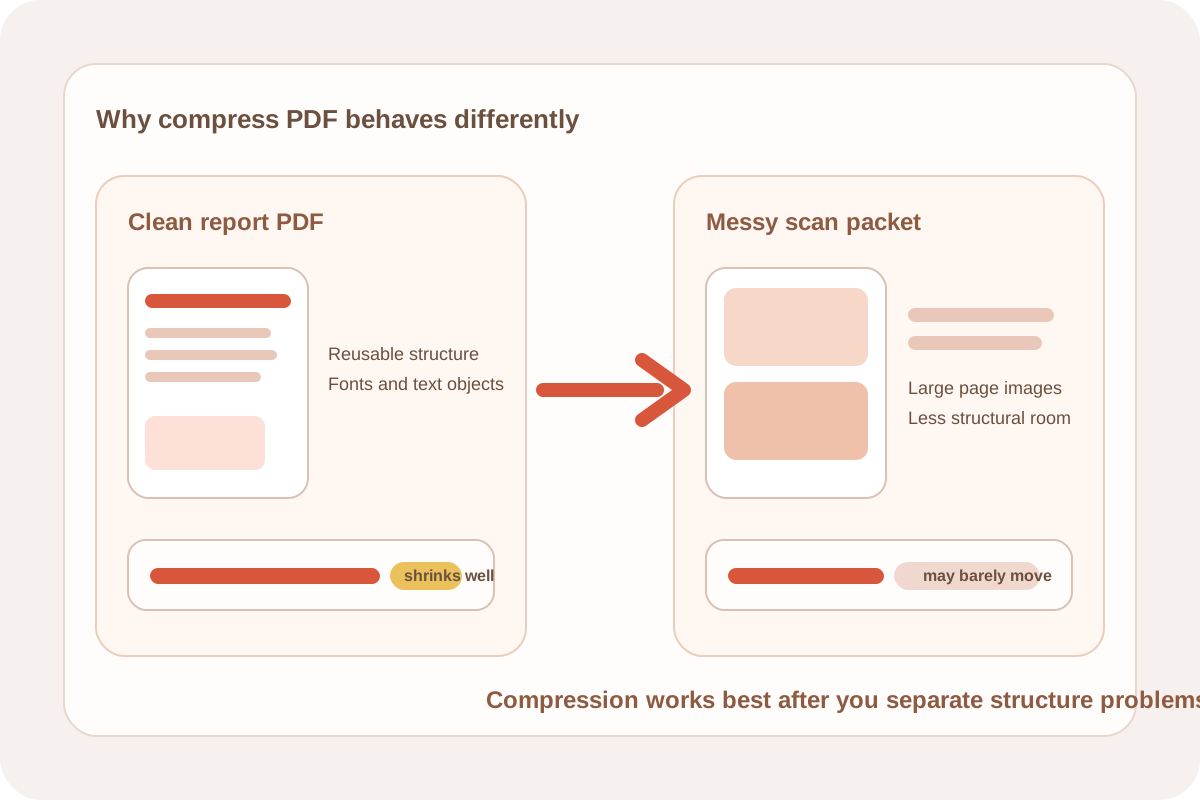
People often expect compress PDF workflows to behave like a magic size button, but PDF size comes from different causes. A clean report exported from a document app may include reusable structure, repeated fonts, and lightweight text objects. A scan-heavy packet may behave more like a stack of large images wrapped inside a PDF container. Those two files do not shrink for the same reasons.
Why one PDF shrinks easily and another barely moves
- Text-heavy reports often benefit when duplicated objects, excess structure, or inefficient rebuilds are cleaned up.
- Exported forms and proposals may contain metadata or embedded resources that can be rebuilt more efficiently.
- Scanned packets usually stay heavy because each page is effectively a large image.
- If the source problem is page clutter rather than file structure, compression alone may not be the best first step.
What a PDF compressor is really doing
A browser PDF compressor usually rebuilds the document and re-writes internal objects more efficiently. That helps most when the file already has structure to optimize. It is different from deleting pages, changing page order, or cropping visual content. Those jobs reduce what the document contains, while compression mostly changes how that content is packaged.
A practical technical check before you compress PDF
- If the file came from Word, Google Docs, slides, or a reporting tool, try compression early because the structure may be optimizable.
- If the file came from a phone scan or office copier, assume the pages may already be image-heavy and test compression with modest expectations.
- If the packet contains pages nobody needs, extract or delete them before compression.
- If reviewers only need a visual preview, convert selected pages to images first and decide later whether the document still needs to return to PDF.
When another workflow is cleaner than a pdf compressor
A pdf compressor helps when the right document is already in hand but its size is awkward. If the problem is wrong pages, scanner borders, or visually noisy page images, a page-selection or image-cleanup flow usually removes more weight than a single compression pass.
Related UtilFlow moves
If the packet includes irrelevant sections, start with Extract PDF Pages or Delete PDF Pages. If the real need is an image to pdf handoff from camera shots or screenshots, use Images to PDF first and compress the final document only if the upload limit still fails.
FAQ
Why does compress PDF work better on some files than others?
Because some PDFs are mostly structure and text objects, while others are mostly large page images. Structure-heavy files usually have more room for efficient rebuilding.
Will a pdf compressor fix a packet with the wrong pages?
No. Compression changes size, not document scope. Remove or extract pages first when the packet contains irrelevant content.
Should I compress PDF before or after other cleanup?
Compress after page cleanup when the wrong pages or messy scans are the bigger problem. Compress earlier when the document is already correct and only needs a lighter file size.