What a Base64 Image Data URL Solves and When It Makes the Page Heavier
Understand where a Base64 image data URL helps, where it adds avoidable weight, and how to use inline image encoding without turning a small shortcut into a slower handoff.
Open Base64 Image Encoder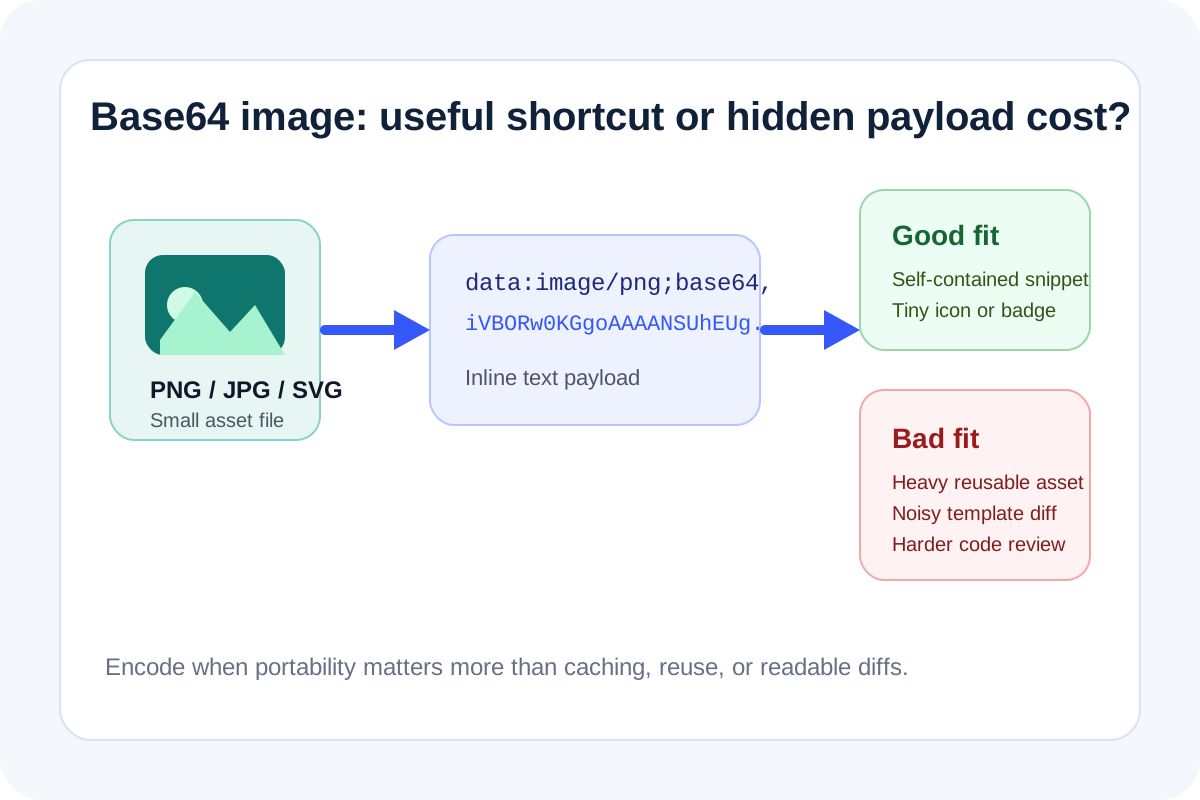
A Base64 image data URL is usually a packaging decision, not an image-quality decision. It helps when one small asset needs to travel inside HTML, CSS, test data, or a self-contained snippet. It becomes a bad trade when the encoded string is large enough to make the file, template, or payload harder to inspect and slower to move around.
What the encoding changes technically
- The image bytes become text, which makes the asset easier to embed directly in copied code or markup.
- The encoded result grows compared with the original binary file, so the convenience comes with extra payload weight.
- A long data URL is harder to diff, review, and spot-check than a normal file reference.
- Inline encoding removes one file dependency, but it also makes the parent document responsible for carrying the full asset.
Where a Base64 image is genuinely useful
- Small icons or badges inside a self-contained HTML snippet.
- Short-lived test fixtures where keeping one file is easier than wiring an asset path.
- Email or documentation examples where a tiny embedded visual is easier to move than a separate file.
- CSS or markup experiments where the real goal is portability rather than caching efficiency.
When the shortcut turns into technical drag
If the image is large, frequently reused, or likely to be edited later, a normal file usually wins. A long Base64 string makes templates noisier, increases copy-paste risk, and hides the asset inside a block of text that nobody wants to review manually. The technical problem is not that the encoding is wrong. The problem is using an inline transport format where a normal file reference would stay clearer and lighter.
A sensible check before you copy the data URL
Preview the image first, confirm it is the exact asset you meant to encode, and ask one question: does this asset need to live inside the text itself, or would a file path keep the workflow cleaner? If portability matters more than reuse, inline encoding can be the right call. If the asset is persistent or shared, keep it as a file.
Related UtilFlow moves
If the image is too large before encoding, compress or resize it first. If you only need the readable text back from an encoded value, move to Base64 Encode/Decode instead of regenerating the image string again.
FAQ
Does Base64 image encoding improve image quality?
No. It changes the transport format, not the visual quality of the image itself.
Why does a Base64 image often feel heavy in code or markup?
Because the binary asset becomes a long text string that increases the size and readability cost of the surrounding document.
When is a Base64 image data URL worth using?
It is worth using when the asset is small and the main benefit is keeping one self-contained snippet, fixture, or copied example.