Use a PDF to Image Converter for Fast Review, Then Rebuild With Image to PDF Only if Needed
Turn PDF pages into lightweight review images first, then resize, compress, or rebuild them with an image to PDF converter only when the thread still needs one downloadable document.
Open PDF to Images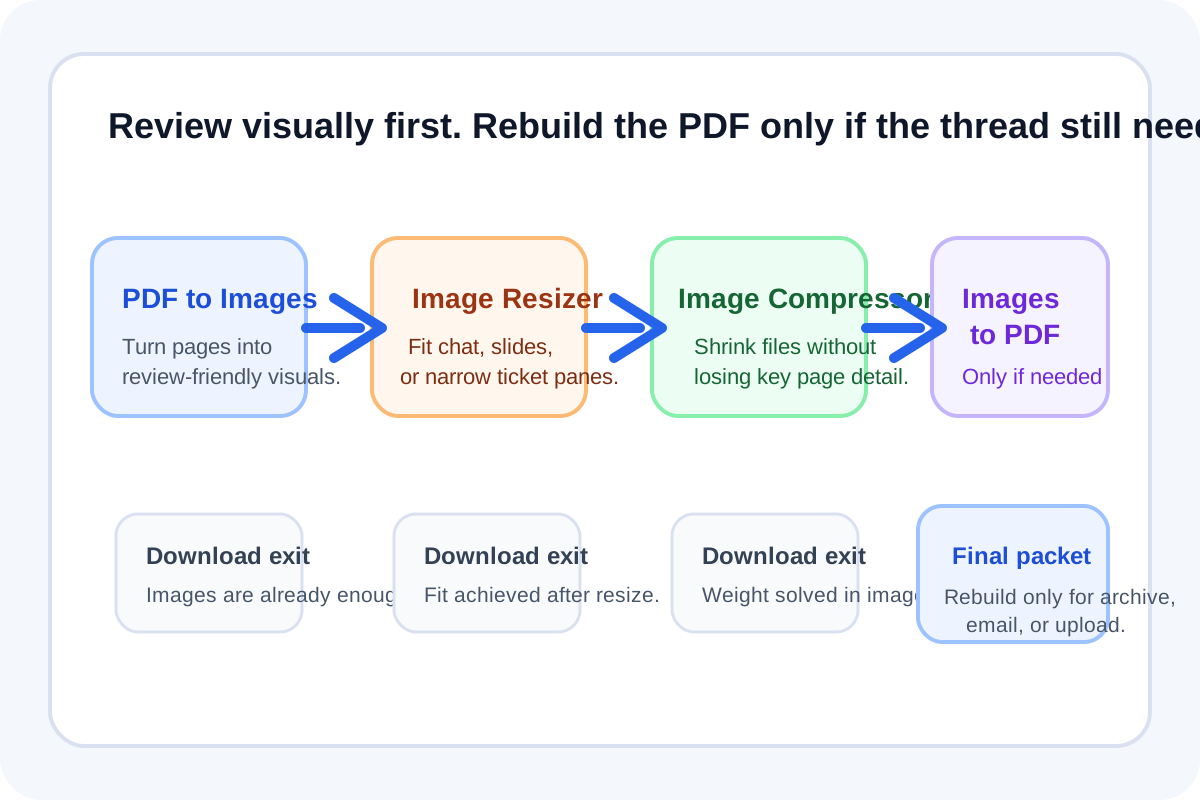
Many document reviews do not need another PDF immediately. They need pages that are easy to drop into chat, tickets, or async approval threads. Starting with a PDF to image converter online free step makes the review lighter. Only after that should you decide whether the images need resizing, compression, or a return trip through an image to PDF converter.
The tool order
- Start with PDF to Images so each page becomes a visual file that is easier to inspect and share in a message thread.
- Continue to Image Resizer if the page images are physically larger than the place they need to go, such as a ticket, slide, or narrow chat pane.
- Use Image Compressor when the resized or original page images are still too heavy for upload or would slow the handoff.
- Run Images to PDF only if the reviewed image set still needs to become one downloadable packet after the discussion.
When to stop and download
- Stop after PDF to Images if reviewers only need page snapshots and the conversation will stay visual.
- Stop after Image Resizer if the images now fit the destination cleanly and file weight is already acceptable.
- Stop after Image Compressor if the final deliverable is still a set of shareable images rather than a document.
- Use Images to PDF only when archiving, emailing, or uploading one combined file is clearly better than keeping the pages separate.
What to check after each step
- After PDF to Images: confirm every page is readable at the size reviewers will actually see.
- After Image Resizer: confirm text and diagrams still look sharp enough for the destination context.
- After Image Compressor: compare file size savings against readability, especially for scans and screenshots with small text.
- After Images to PDF: confirm the rebuilt page order still matches the reviewed sequence and that the final packet is no larger than it needs to be.
Why this beats rebuilding a PDF too early
If the review is happening in chat or tickets, a fresh PDF can be extra weight with no real benefit. The image stage keeps the handoff visual and selective. Rebuilding through an image to PDF converter becomes a deliberate final packaging decision rather than the automatic next step.
Related UtilFlow moves
If the original document contains only a few relevant pages, narrow it first with Split PDF or Extract Pages. If the image review exposes upside-down scans or extra content, fix the source with Rotate PDF or Delete PDF Pages before rerunning the chain.
FAQ
When is a PDF to image converter better than sharing the PDF directly?
It is better when the review is happening inside chat, tickets, or slides where page snapshots are easier to scan and discuss than another attached document.
Why add image cleanup before rebuilding the PDF?
Because resize and compression decisions are easier to judge while the pages are still separate images, and sometimes that makes rebuilding the PDF unnecessary.
When should I use an image to PDF converter at the end?
Use it only when the reviewed pages still need to travel as one archive, email attachment, or upload-ready packet.