URL Encode Query Parameters Before a Link, Redirect, or API Call Breaks
Use URL encoding before spaces, ampersands, redirect targets, or copied search text quietly break a query string or change what the destination receives.
Open URL Encode/Decode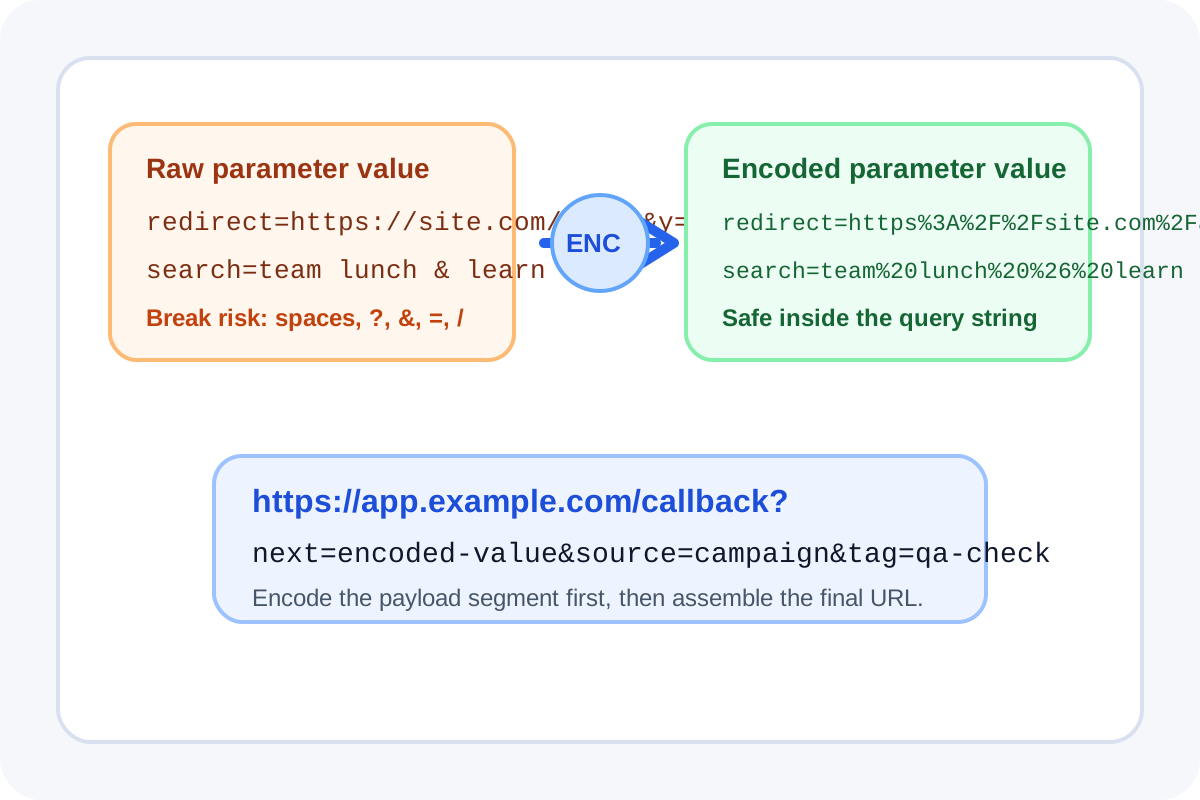
URL problems often come from the part users do not notice. A title, search phrase, email address, redirect target, or tracking value is pasted into a query string, and then spaces, ampersands, equals signs, plus signs, or slashes change how the destination reads it. URL encoding is the small safety step that keeps the value intact.
Where this breaks in real workflows
- A redirect parameter accidentally starts a second query string.
- A search phrase with spaces turns into an invalid or inconsistent URL.
- An email address or tag value is truncated after an ampersand.
- UTM or webhook links behave differently because a nested URL was pasted raw.
- Debugging stalls because the copied value looks close to right but is not actually safe inside the link.
What should be encoded
Encode the parameter value, not the entire URL unless the destination explicitly expects that. The base path, question mark, equals sign, and ampersands give the URL its structure. The user-provided value inside that structure is the part that usually needs percent encoding.
A safe encode-decode workflow
- Start with the exact value that will live inside the parameter field.
- Encode it before inserting it into a redirect URL, search link, API call, or tracking template.
- If a link is already behaving strangely, decode the suspicious segment first so you can inspect what the destination is actually receiving.
- Copy the final URL only after you confirm which parts are structure and which parts are payload.
Why this matters during debugging
Encoding errors are easy to miss because the link may still open. The failure shows up later as a missing filter, an incomplete redirect, a broken callback value, or a tracking field that never reaches the destination. Checking encoding early separates URL structure problems from the application logic you were about to blame.
Related UtilFlow moves
Use URL Parser when you need to inspect the full link after encoding, or Base64 tools when the value must travel as text-safe content in a different format altogether.
FAQ
Should I encode the whole URL or only the parameter value?
Usually only the parameter value. The base URL and query-string separators should normally stay readable so the link structure remains valid.
Why does a link still open even when the parameter is wrong?
Because the browser can open the page while the destination silently misreads the parameter value, drops part of it, or splits it at special characters.
When should I decode a URL value?
Decode it when you are debugging a copied link and need to inspect what text, redirect target, or search phrase is actually inside the encoded segment.