Turn Exported HTML Into Clean Markdown Before a Docs Migration
Convert pasted HTML into readable Markdown so support articles, CMS exports, and legacy help docs move into a new docs workflow with less cleanup.
Open HTML to Markdown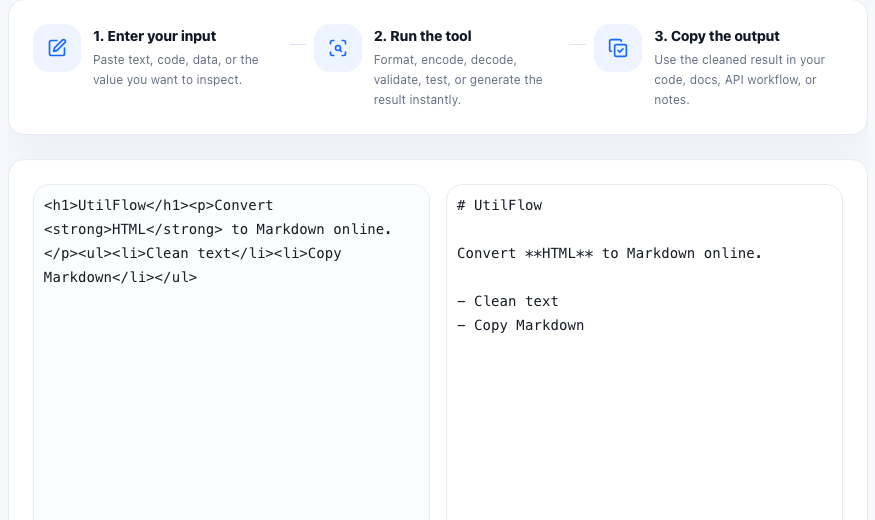
Documentation migrations often start with the wrong source format. A help center export, WYSIWYG CMS article, or old knowledge-base page may give you HTML when the next system expects Markdown. The job is not to preserve every wrapper div. The job is to recover headings, paragraphs, lists, links, and inline emphasis in a format that is easier to review and maintain.
Where this workflow shows up
- Moving support articles from a legacy CMS into a Git-based docs repo.
- Cleaning copied product documentation before pasting it into a Markdown-first help center.
- Turning HTML snippets from internal wikis or exports into simpler reviewable text.
- Preserving links and lists while removing layout-heavy markup that no longer matters.
A practical HTML-to-Markdown workflow
- Paste the exported HTML exactly as it came from the old system instead of editing tags by hand first.
- Convert it to Markdown and scan the output for headings, links, bullets, and inline code that should survive the move.
- Remove leftover layout fragments or decorative markup that do not belong in the destination docs system.
- Open the final Markdown in a preview or editor before publishing it to the new repository or knowledge base.
- Keep one representative article as a reference sample so repeated migrations stay consistent.
Why Markdown is easier to review during a migration
HTML exports often bury the actual content inside nested tags, inline styles, and reusable layout fragments. Markdown strips the page back to the writing structure, which makes broken headings, missing links, and list problems much easier to spot in code review or editorial review.
Related cleanup steps after conversion
After the Markdown is clean, you may still need HTML preview, Markdown editing, text cleanup, or slug generation before the article is ready for its new home. Treat conversion as the first content-normalization step, not the last publishing step.
FAQ
Will HTML to Markdown keep every design detail?
No. The goal is to keep the readable content structure such as headings, paragraphs, links, lists, and inline formatting, not every layout-specific wrapper or style.
Why convert exported HTML before editing the article?
Converting first reduces noise from old markup and makes the article easier to review, rewrite, and version in a Markdown-based workflow.
What should I check after converting HTML to Markdown?
Check headings, links, bullet structure, inline code, and any sections that may have relied on complex HTML layouts in the original system.