Turn a Status Matrix Into a Clean Markdown Table Before the Doc Review
Use the table generator when rough rows from chat, notes, or a spreadsheet export need to become one readable status table for docs, tickets, or a review thread.
Open Table Generator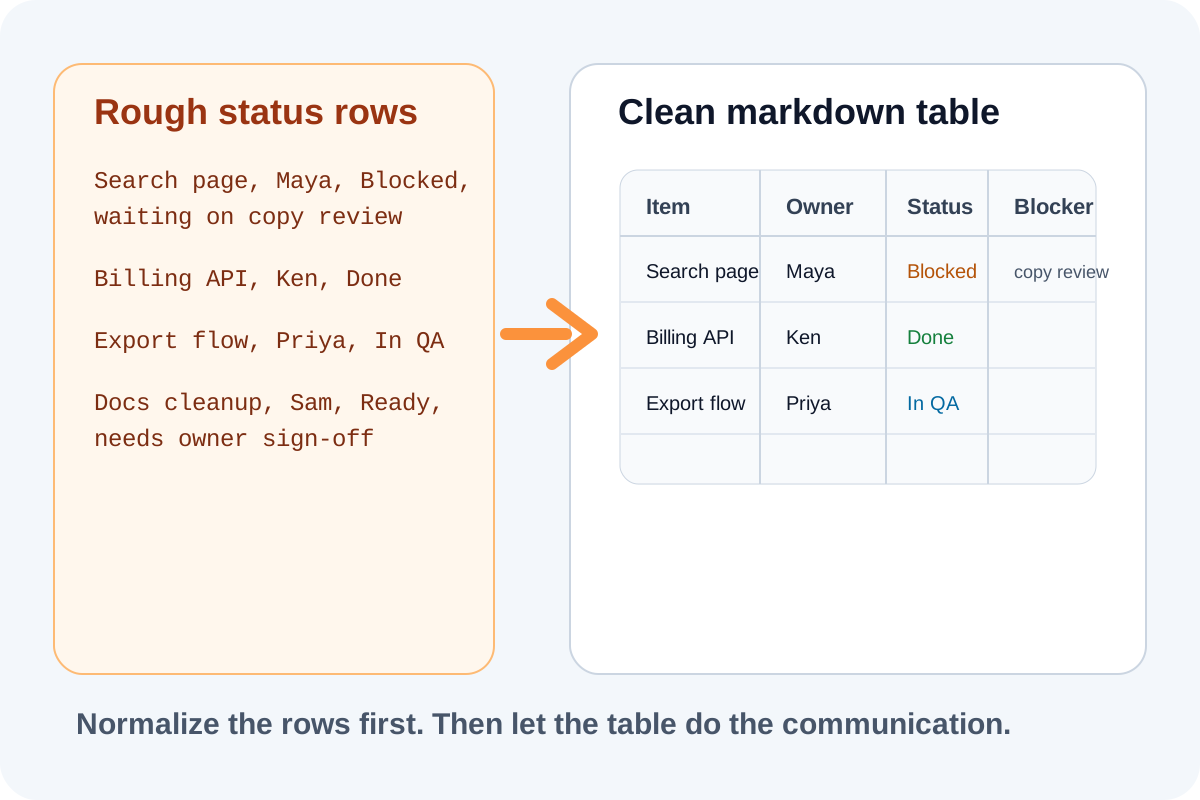
Status tables often begin as rough fragments: a pasted Slack list, a copied spreadsheet region, or release notes with commas and tabs in inconsistent places. The friction appears at the review step, when people need one compact table that reads clearly in Markdown instead of several competing versions of the same status matrix.
Start by deciding what the table is for
A table prepared for a doc review needs different discipline than a private scratchpad. Keep only the columns the reviewer needs to scan quickly, such as item, owner, status, and blocker. Long commentary usually belongs below the table, not inside the cells.
A practical table workflow
- Collect the final rows from chat, notes, or a spreadsheet export into one plain-text source.
- Normalize the columns so every row uses the same separators and the same column count.
- Paste the rows into Table Generator and decide whether the first row should be treated as headers.
- Choose Markdown when the destination is a README, issue, wiki, or documentation draft.
- Preview the output in the real destination so long labels, broken separators, or extra commentary do not survive into the review thread.
What to fix before you paste the final table
- Shorten headers that wrap awkwardly in narrow docs layouts.
- Remove decorative punctuation that makes one status look different from another.
- Move long notes out of the cells if they make the comparison harder to scan.
- Keep statuses consistent so one row does not say Done while another says Complete for the same state.
Why this helps the review move faster
A clean Markdown table lowers the cost of reading the update. Reviewers can scan the same row structure, compare columns quickly, and comment on the actual status instead of asking someone to reformat the content first. That makes the table useful as a communication layer, not just as a nicer-looking export.
Related UtilFlow moves
Use Text Cleaner before table generation if the source includes duplicate spaces or broken line endings. Use Line Sorter when the rows need alphabetical review order first, and use Checklist Maker when the update is really a task sequence rather than a comparison table.
FAQ
When should I use Markdown instead of HTML for a generated table?
Use Markdown when the table is going into docs, issues, or review notes where simple readable source matters more than styling control.
What usually breaks a pasted status table?
Inconsistent separators, a mismatched column count, and overlong commentary inside cells are common reasons a table becomes hard to read.
Should I keep every spreadsheet column in the review table?
No. Keep only the columns the reviewer needs to act on quickly and move the rest into notes or a source sheet.