Split a PDF, Use a PDF to PNG Review Pass, and Rebuild Only the Marked Pages
Use a narrow PDF-image workflow when people search for edit PDF online but the safer job is to isolate the right pages, review them visually, mark the draft copy, and rebuild only the pages that still need to travel together.
Open Split PDF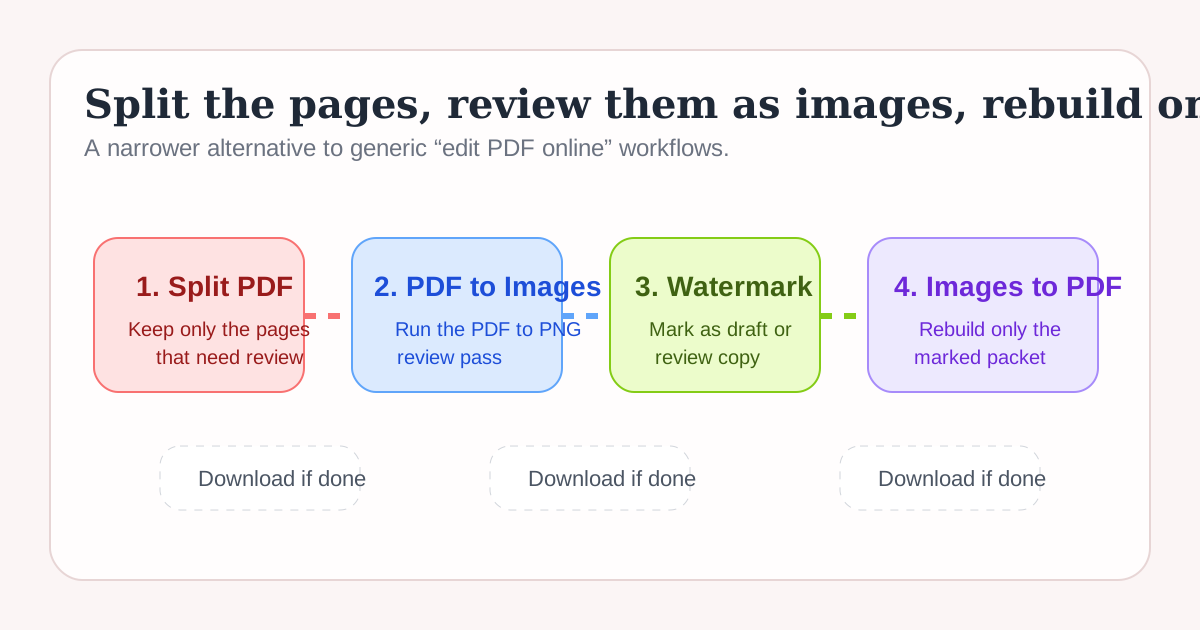
Many people start with a broad edit pdf online search when the real task is narrower. They do not need to rewrite every page. They need to isolate the right pages, turn them into a clear review copy, label that draft visually, and rebuild only the subset that still has to travel as one file. This workflow keeps those decisions explicit.
The tool order
- Start with Split PDF when the original document is larger than the review task and only certain pages should move forward.
- Continue to PDF to Images for the practical pdf to png stage, which makes the selected pages easier to inspect in chat, tickets, or visual review threads.
- Move to Image Watermark when the page images need a visible draft, review, or do-not-share label before they circulate.
- Finish with Images to PDF only if the marked pages still need to return as one downloadable packet after review.
When to stop and download
- Stop after Split PDF if the smaller document alone solves the request.
- Stop after PDF to Images if reviewers only need page visuals and no rebuilt PDF is necessary.
- Stop after Image Watermark if the marked images are the actual review deliverable for chat, slides, or ticketing.
- Run Images to PDF only when the marked set still needs to be archived, attached, or sent as one packet.
What to check after each step
- After Split PDF: confirm the right pages moved forward and the page order still makes sense.
- After PDF to Images: confirm every page is readable at the image size reviewers will actually see.
- After Image Watermark: confirm the label is visible but does not block signatures, figures, or key text.
- After Images to PDF: confirm the rebuilt packet only includes the marked pages and still opens in the intended order.
Why this is cleaner than generic edit PDF online thinking
A single edit pdf online label hides different jobs. Scope control belongs to Split PDF. Visual review belongs to the pdf to png step. Status labeling belongs to Image Watermark. Rebuilding the packet belongs to Images to PDF only if the workflow still needs it. Keeping those jobs separate creates a safer handoff.
Related UtilFlow moves
If the page images are too large for the destination, continue into Image Compressor before rebuilding the packet. If the review reveals wrong orientation or extra content, fix the source PDF with Rotate PDF or Delete PDF Pages before running the chain again.
FAQ
Why start with Split PDF before the PDF to PNG step?
Because isolating the relevant pages first keeps the review pass smaller, clearer, and less likely to expose unrelated content.
When is a PDF to PNG review pass better than keeping everything as a PDF?
It is better when reviewers need quick visual pages inside chat, tickets, slides, or lightweight approval threads rather than another document-first handoff.
Why rebuild only the marked pages at the end?
Because a new packet should only exist if the marked draft pages still need one combined file for download, archiving, or external sharing.