Sort and Dedupe a Pasted List Before Import or Handoff
Clean a rough list before it reaches Sheets, a CRM, a CMS, or a team handoff so duplicates and blank lines stop causing avoidable cleanup later.
Open Line Sorter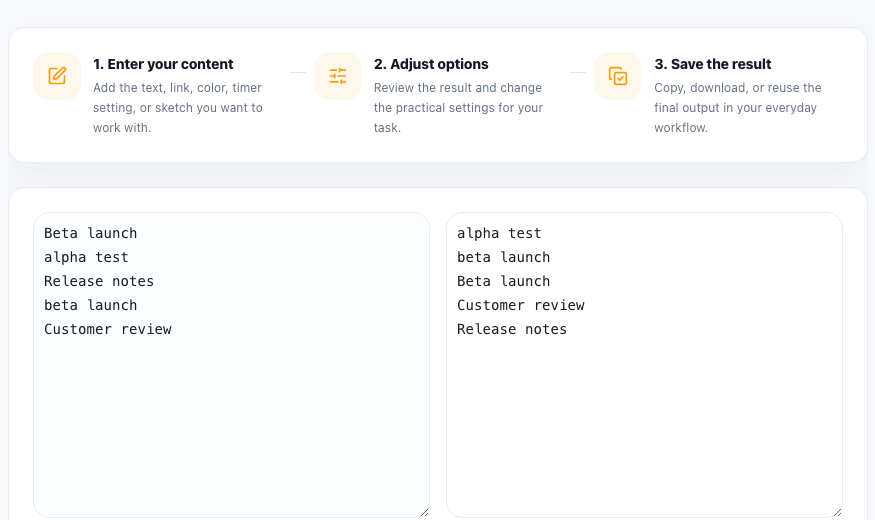
List cleanup often happens one step before a more important task. You copied a batch of names from chat, exported keywords from several notes, or assembled URLs from different teammates. The next system may be a spreadsheet, CRM import, CMS field, outreach list, or internal checklist. If the list is noisy, the next step inherits that mess.
What this workflow solves first
- Duplicate lines that would create repeated work or repeated imports.
- Blank lines that turn into empty spreadsheet rows or confusing separators.
- Leading and trailing spaces that make similar entries look different to a machine.
- Unsorted lists that are harder to scan during review and handoff.
A practical line-cleanup workflow
- Paste one item per line, even if the source came from chat, docs, or a copied table.
- Trim spaces and remove blank lines before you judge whether duplicates are real.
- Choose alphabetical or reverse order based on how the next person needs to review the list.
- Remove duplicates so the exported list becomes the single clean version for the next step.
- Paste the cleaned result into the actual destination immediately instead of keeping several competing copies around.
Why this matters before an import
Imports and handoffs magnify small text problems. Two lines that differ only by whitespace may become separate records. Duplicate entries may trigger duplicate emails or repeated review work. A quick cleanup step is cheaper than debugging a messy downstream system that simply accepted the bad list you gave it.
What to do after sorting
Once the list is clean, you may still randomize it, turn it into a checklist, count words, or move it into a table. Sorting is often the normalization step that makes those later transformations safe instead of speculative.
FAQ
Should I remove blank lines before deduping?
Yes. Blank lines and extra spaces can hide whether two entries are actually duplicates or just messy copies.
Why alphabetize before sharing a list?
Alphabetical order makes it easier to scan for duplicates, missing entries, and review notes during a handoff.
When is reverse order useful?
Reverse order can help when you want latest-to-earliest style review, descending priority, or a quick inversion of an already sorted list.