Review a Cron Expression Against the Real Maintenance Window Before You Ship It
Treat cron parsing as a schedule review step so backups, exports, and cleanup jobs run inside the business window you actually meant.
Open Cron Expression Parser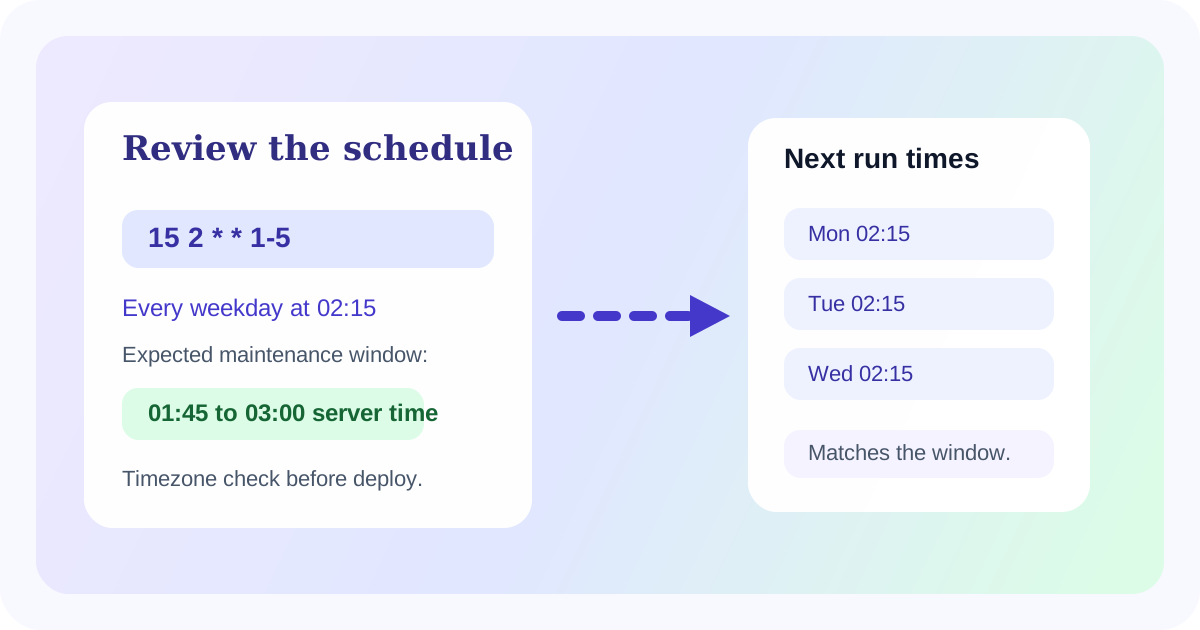
Most cron mistakes are not syntax failures. They are expectation failures. The expression technically parses, but the job runs outside the backup window, during business hours, or on the wrong weekday because nobody compared the schedule with the real operating constraint.
Start from the maintenance window, not the symbols
Write the schedule in plain language first: every weekday at 02:15 server time, first business day after month end, or every 15 minutes only during a support shift. That sentence is the requirement. The cron expression is only the compressed encoding of it.
A cron review workflow
- Paste the candidate cron expression into the parser and read the natural-language explanation.
- Inspect the next run times and compare them with the real maintenance, billing, or reporting window the team expects.
- Check timezone assumptions explicitly when the runtime server and the operator are not in the same zone.
- If the schedule feels right but one next-run example looks wrong, fix that ambiguity before the expression ships.
Where teams get caught
- Nightly jobs that accidentally run every day instead of weekdays only.
- Hourly or step-based jobs that start at the wrong boundary for the window that matters.
- Month-end tasks that look correct until someone realizes the runtime interprets them in UTC instead of the local business timezone.
Why this saves incidents
A schedule review catches the mistake before the workload hits production. That matters most for exports, cleanup routines, emails, billing tasks, or cache jobs where the wrong timing is itself the incident.
Related UtilFlow moves
Use Unix Timestamp when log output needs to be matched back to the scheduled run, or Date Calculator when the operational question is about day offsets, notice windows, or deadline counting rather than recurring cron syntax.
FAQ
Why review the maintenance window separately from the cron string?
Because the business rule is easier to validate in plain language than in compressed cron syntax.
What should I compare after parsing a cron expression?
Compare the natural-language explanation, the next run times, and the timezone assumption against the real operating window.
Can a valid cron expression still be wrong?
Yes. Valid syntax can still encode the wrong hour, weekday, boundary, or timezone for the job you meant to schedule.