Merge, Reorder, Number, and Compress a PDF Packet Before You Send It
Use one chained PDF workflow to combine separate files, fix page order, add page numbers, and compress PDF output before a client, portal, or reviewer sees the final packet.
Open Merge PDF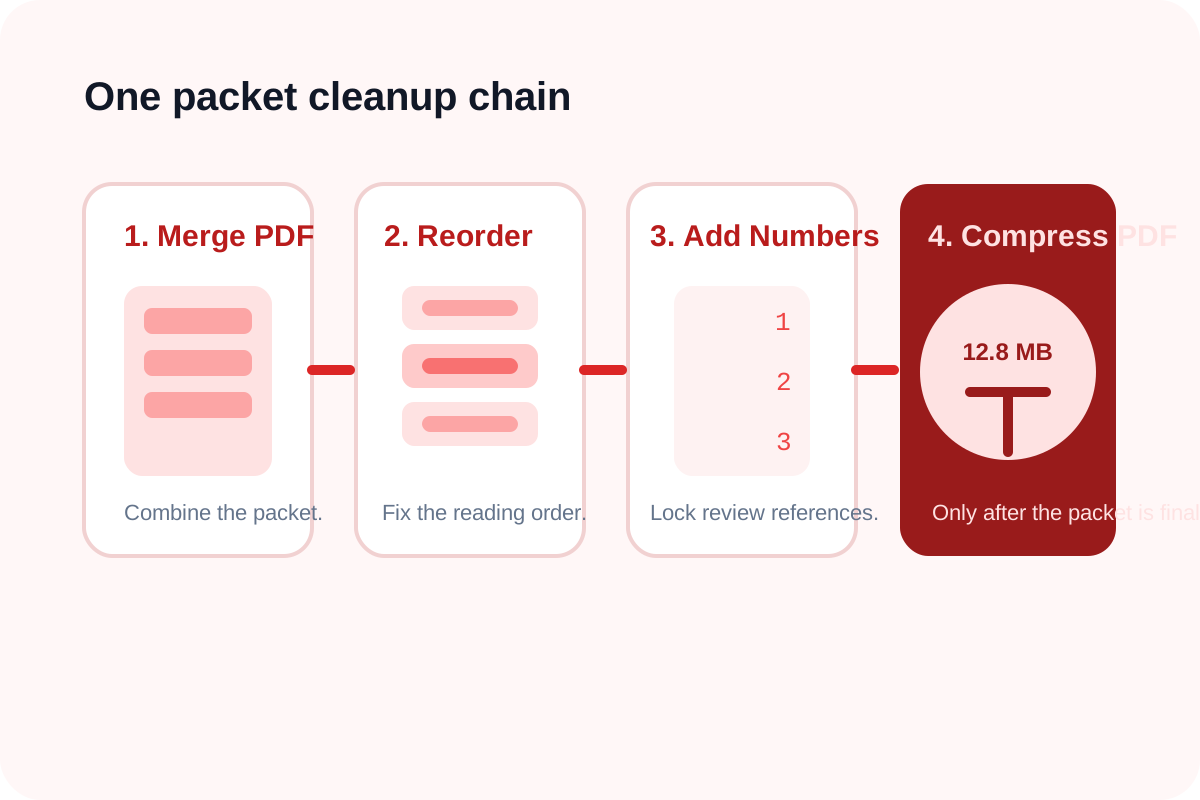
A document packet rarely arrives in final form. Supporting letters, signed pages, appendices, and scans often exist as separate files, and the first merged draft still needs cleanup before it is safe to send. This chained workflow keeps the edits narrow and decision-oriented: merge pdf files first, edit pdf structure only where needed, number the finished sequence, and compress pdf output last.
The tool order
- Start with Merge PDF when the packet still exists as separate files that should become one review document.
- Move to Reorder PDF Pages if the merged packet has cover pages, appendices, or signatures in the wrong sequence.
- Continue to Add Page Numbers to PDF only after the order is final so the numbering reflects the real packet.
- Finish with Compress PDF when the completed packet is correct but still too large for email or portal upload.
When to stop and download
- Stop after Merge PDF if the combined file is already in the right order and the recipient does not need page references.
- Stop after Reorder PDF Pages if the packet only needed structural cleanup and size is still acceptable.
- Stop after Add Page Numbers when reviewers need page references and the file size is already fine.
- Run Compress PDF only when the packet is truly final and the destination still rejects the size.
What to check after each step
- After Merge PDF: confirm every expected file made it into the packet and that no duplicate section slipped in.
- After Reorder PDF Pages: confirm narrative flow, appendix placement, and signature pages now match the intended reading order.
- After Add Page Numbers: confirm page references do not cover critical content and that numbering starts where the recipient expects.
- After Compress PDF: compare file size and readability, especially on scanned or image-heavy pages.
Why this is the practical way to edit PDF packets online
People often reach for a generic edit pdf idea too early, but packet cleanup is easier when each step has one job. Merge handles combination, reorder handles structure, numbering handles reviewer navigation, and compression handles delivery limits. That separation reduces accidental damage to a packet that is already close to done.
Related UtilFlow moves
If the packet starts as phone photos or screenshots instead of PDFs, begin with an image workflow such as Image Resizer or Images to PDF before entering this chain. If the final PDF should expose only part of the packet, continue into Extract PDF Pages after compression.
FAQ
Why should compress pdf be the last step?
Because compression is a delivery optimization, not a structural fix. It works best after the packet content and order are already final.
When do I add page numbers in this workflow?
Add page numbers only after the page order is final so reviewers are not given references that change again later.
Which tools are in this multi-step tool workflow?
The workflow uses Merge PDF, Reorder PDF Pages, Add Page Numbers to PDF, and Compress PDF in that order.