Fix Sideways Phone Photos, Shrink Them, and Use an Image to PDF Converter for One Clean Packet
Use Rotate/Flip Image, Image Compressor, and Images to PDF in one decision-oriented workflow when sideways phone photos need to become a lighter, cleaner review packet.
Open Images to PDF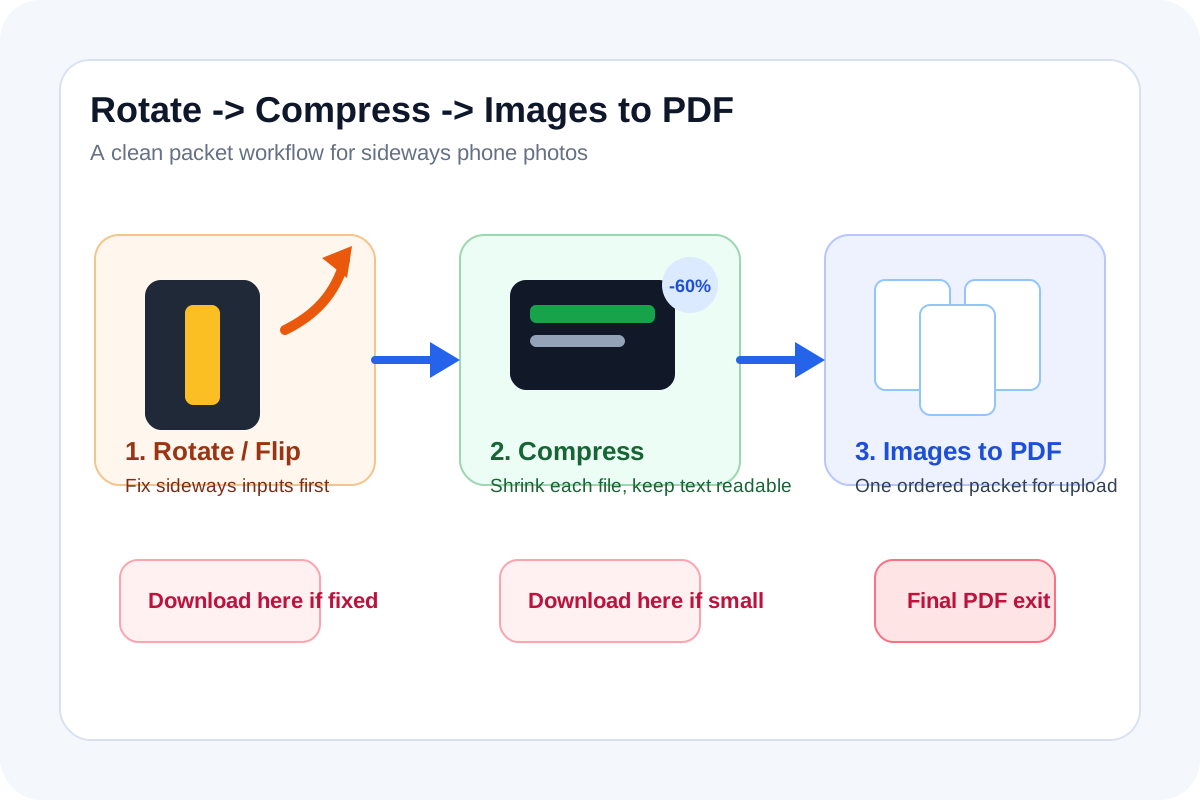
Phone photos are a messy input for document work. Some open sideways, some are much larger than the upload needs, and a set of JPG receipts or site photos is harder to review when it stays as a loose attachment pile. That is why an image to pdf converter workflow works better after the orientation and file-size decisions are already settled.
The tool order
- Start with Rotate/Flip Image if any photo opens sideways, upside down, or mirrored compared with how a reviewer should read it.
- Continue into Image Compressor once the orientation is correct and you need each file to be lighter before packaging.
- Finish with Images to PDF when the corrected JPG or PNG files should become one combined packet for upload, review, or archiving.
When to stop and download
- Stop after Rotate/Flip Image if the real problem was only a sideways photo and the destination accepts image files directly.
- Stop after Image Compressor if the destination still wants separate images but the originals were too heavy to send comfortably.
- Continue to Images to PDF only when one packet is easier to upload, archive, print, or review than several loose files.
What to check after each step
- After Rotate/Flip Image: confirm text, receipts, labels, or room photos now read in the right orientation.
- After Image Compressor: confirm the smallest text and evidence details remain readable while file size drops enough for the destination.
- After Images to PDF: confirm page order, page readability, and that the combined packet really helps more than separate image files would.
Why this works better than starting with a jpg to pdf converter immediately
A jpg to pdf converter is strongest at packaging, not at fixing source quality. If the inputs are sideways or unnecessarily heavy, the PDF simply preserves those problems. Rotating and shrinking first gives the final packet a cleaner base.
Where the live query language fits
Current related-query signals around image to pdf converter and jpg to pdf converter match the real user intent here: people are not asking for PDF theory. They are trying to turn messy phone images into one cleaner file without losing control over orientation or size first.
Related UtilFlow moves
If the packet should stay as images for markup or annotation, stop after compression and avoid the PDF step. If the photos need cropping before any of this starts, use Image Cropper first so the final packet contains only the evidence that matters.
FAQ
Why not begin with an image to pdf converter right away?
Because the converter combines files, but it does not fix sideways orientation or lighten oversized photos before they become pages.
When is a jpg to pdf converter workflow better than sending separate images?
It is better when one ordered packet is easier for the reviewer, portal, or archive than several individual attachments.
What should I inspect in the final PDF packet?
Inspect page order, orientation, readability of small text, and whether the compressed images still preserve the evidence the reviewer needs.