Extract Only the PDF Pages a Client or Portal Actually Needs
Create a smaller PDF with only the required pages so reviewers do not have to sort through covers, appendices, or unrelated scans.
Open Extract PDF Pages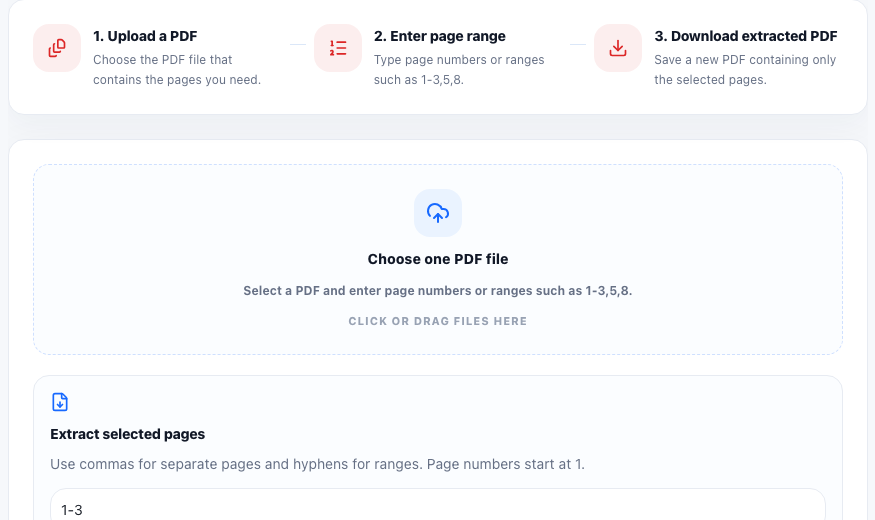
Many PDF handoffs fail because the file is technically complete but practically noisy. A client gets the right contract pages plus old notes. A portal gets the right form plus extra scans. A reviewer gets the right appendix buried inside a packet they did not ask for.
The real problem is not page extraction itself
The real problem is relevance. When someone asks for pages 3 through 8, they usually want one cleaner document that keeps exactly those PDF pages and nothing else. That reduces review time, lowers the chance of sharing the wrong material, and makes the next upload or approval step much easier.
A page-selection workflow that prevents avoidable back-and-forth
- Open the original PDF and identify the exact pages or ranges that belong in the next handoff.
- Enter only those page numbers or ranges so the new output becomes one smaller PDF.
- Download the extracted file and open it immediately to confirm the start page, end page, and page order.
- Rename the result clearly so the recipient understands which section they are receiving.
When extraction works better than splitting
Use extraction when the recipient needs one smaller PDF with selected pages kept together. Splitting is better when every page should become its own file. If the document is still too large after you keep only the needed pages, that is the point where a compress PDF step becomes useful.
What to check before you send it
Look for accidental omissions, upside-down pages, or page numbers that no longer match the conversation around the document. Once the extracted file is correct, the final handoff feels intentional instead of improvised.
FAQ
Should I extract pages or split the PDF?
Extract pages when you want one smaller PDF containing selected ranges. Split the PDF when each page should become a separate file.
Can extracting pages help with upload limits?
Yes. Removing unneeded pages often reduces the file enough that you may not need a separate compress PDF step.
What is the most important check after extraction?
Open the new file and verify that the kept pages are complete, correctly ordered, and free of unrelated content.