Create a Scannable QR Handoff for a Form Poster or Counter Card
Build a QR code people can scan quickly from a printed sign, counter card, or event poster without guessing whether the output will still scan in the real world.
Open QR Code Generator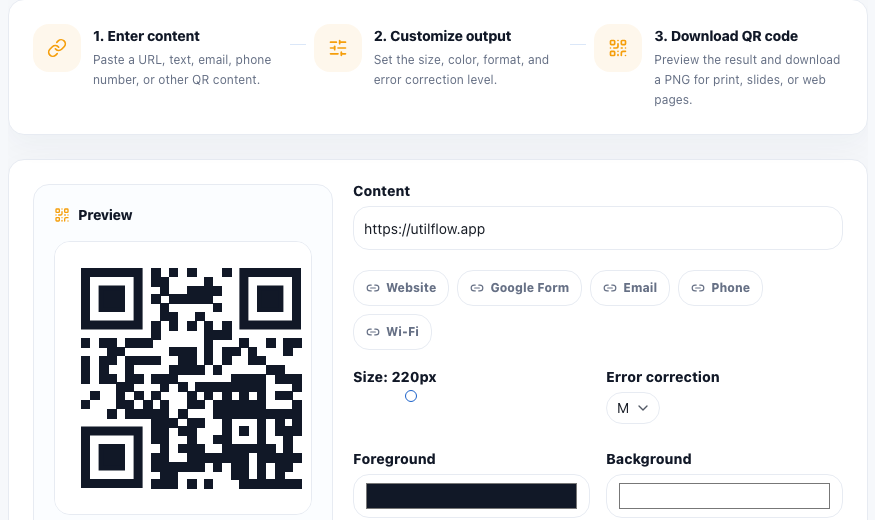
A QR code usually appears at the handoff point between physical space and digital action. Someone is standing at a counter, walking past a poster, or sitting in a meeting room with only a few seconds to scan. The workflow is not only about generating the code. It is about making that handoff fast and reliable.
Common uses for this kind of QR handoff
- Linking a printed sign to a form or RSVP page.
- Adding a scannable URL to a menu, flyer, or table card.
- Turning a support desk or classroom poster into a quick mobile action.
- Creating a Wi-Fi or contact QR that people can use without manual typing.
A practical QR workflow
- Paste the exact final URL, text, email link, phone number, or Wi-Fi string you want people to scan.
- Set the size and error-correction level before styling so the core code remains readable.
- Customize colors carefully and keep enough contrast for phone cameras to separate the dark and light areas.
- Download the PNG and test it from another screen or a printed sample before distributing it widely.
- Place the code where people have enough physical space to point a camera without glare or awkward angle issues.
Why scan testing matters more than visual polish
A QR code can look attractive and still fail in the real setting because the contrast is weak, the print is too small, or the surrounding layout crowds the edges. A quick scan test with a real phone catches those problems faster than debating the design in theory.
Related follow-up steps
After the QR is confirmed, you may still need image resizing, color adjustments, or a PDF handoff depending on whether the code is going into a poster, slide, counter card, or printable packet.
FAQ
What should I link to from a printed QR code?
Use the final mobile-friendly destination, such as a form, menu, sign-up page, contact method, or Wi-Fi string that the scanner can use immediately.
Why can a custom-color QR code stop scanning?
Low contrast or styling that interferes with the code pattern can make it harder for phone cameras to read the QR reliably.
Should I test a QR code before printing many copies?
Yes. Test it from another device or a printed sample to confirm the destination, readability, and scan distance in a real setting.