Check a PDF's Word Count Before Submitting an Essay or Writing Sample
Confirm the real word count in an exported PDF before a portal, application, or review process rejects the file for being too long.
Open PDF Word Counter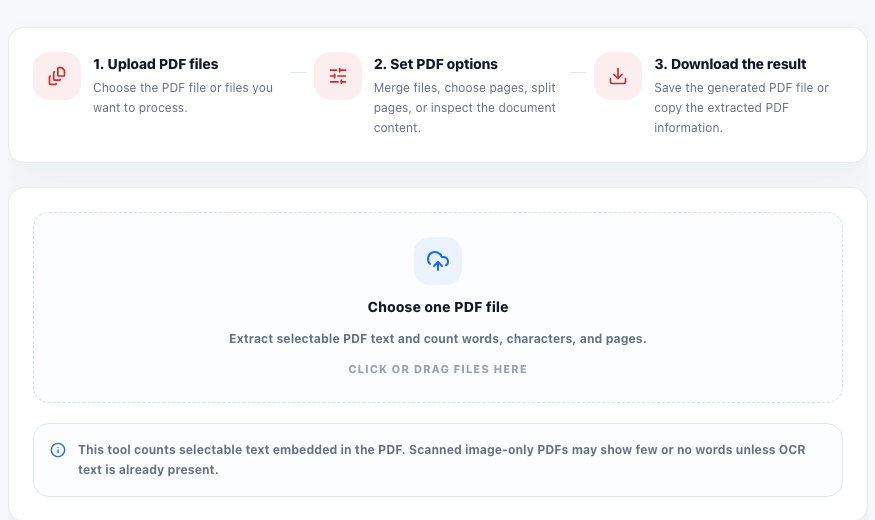
Word-limit trouble often appears after the document is already frozen as a PDF. The draft may have looked safe in Google Docs or Word, but the version actually uploaded to a portal is the exported file. That is the version reviewers, forms, and downstream teams will read, so it is the version worth checking.
Why the PDF version is the one that matters
A PDF can differ from the working draft because of pasted text cleanup, deleted sections, merged pages, or a last-minute export from another editor. If the submission rule says the essay, statement, brief, or report must stay under a limit, checking the live PDF avoids relying on an older count from a different file version.
A practical pre-submission check
- Upload the actual PDF you plan to submit, not the editable draft you used earlier.
- Review the extracted text preview to confirm the document contains selectable text instead of only scanned images.
- Compare the reported word count with the stated limit before you upload the file to the destination form or portal.
- If the file is too long, cut the source text first and export a fresh PDF rather than trimming blindly inside the PDF stage.
- Re-check the new PDF after export so the final uploaded version matches the approved count.
What can make the count look wrong
Scanned pages, flattened text, image-only handouts, or unusual text encoding can prevent a PDF word counter from seeing the content correctly. In that case, the real problem is not the counting tool. The problem is that the PDF does not contain selectable text in a clean form.
Why this check prevents last-minute rework
Submission systems rarely care that a different draft was shorter. They only care about the file you upload. A quick PDF word-count check is a low-effort way to catch one of the most annoying avoidable rejection reasons before the deadline pressure starts.
FAQ
Why count words in the PDF instead of the original document?
Because the PDF is the exact file being submitted, and it may not match the earlier editable draft word for word.
Can a PDF word counter work on scanned pages?
Only if the PDF contains selectable text. Image-only scans usually need OCR before a reliable word count is possible.
What should I do if the PDF is over the limit?
Edit the source document, export a new PDF, and count the new file again instead of guessing how much was removed.